Release notes · Wi-Fi QR for iPhone & iPad
Wi-Fi QR 1.9: Home & Lock Screen Widgets, Bright Mode & Custom Branding
Version 1.9 brings Home & Lock Screen widgets, full-screen bright QR mode, one-tap Copy Password and Send as Text, custom QR dot patterns, brand colors and logos.
 Abdelrahman Eita · · 4 min read
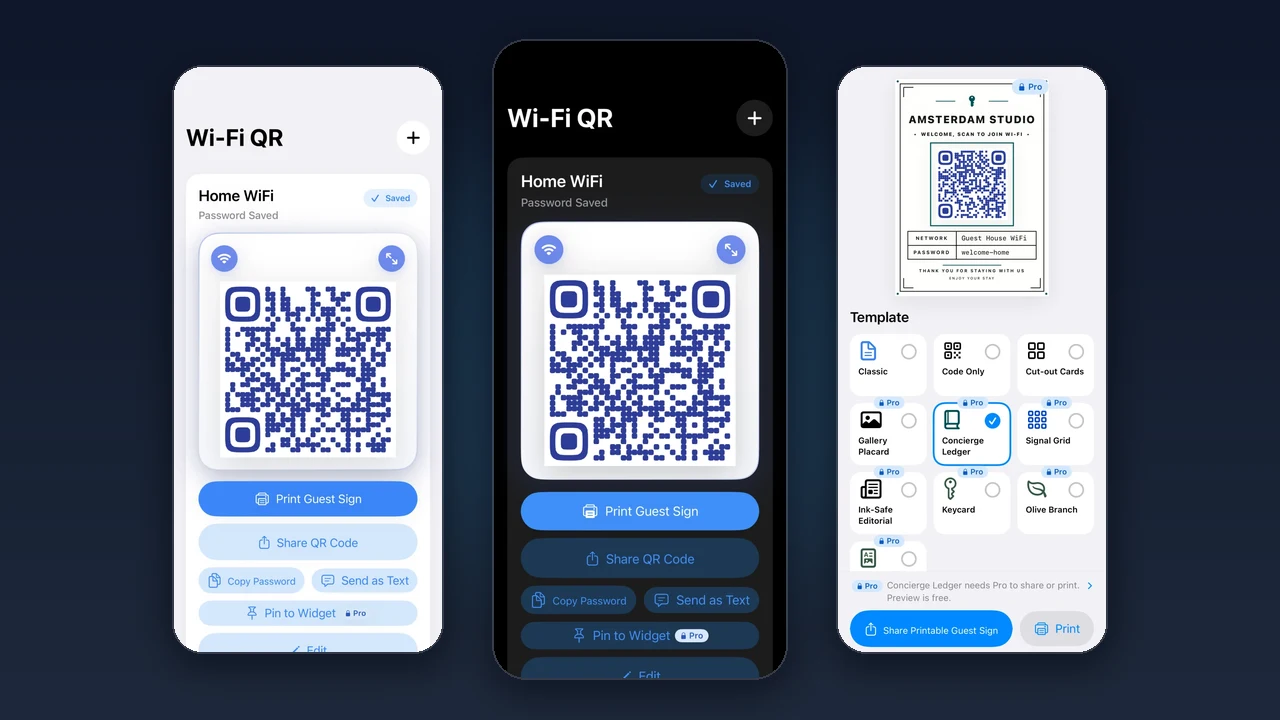
Wi-Fi QR turns any home, office, café, or rental Wi-Fi password into a scannable QR code and ready-to-print guest sign on iPhone and iPad. Version 1.9 has been live on the App Store since 23 November 2026, following the 1.8 direct printing release. Here is everything that shipped.
In short
- Home & Lock Screen widgets (Pro): pin a scannable QR to your Home Screen or open it from the Lock Screen.
- Full-screen bright QR mode (Free): expand any QR code at 100% brightness while guests scan.
- Copy Password & Send as Text (Free): auto-expiring 2-minute clipboard copy, plus plain-text sharing for laptops and TVs.
- Custom QR styles, brand color & logo (Pro): four dot patterns, high-contrast brand tinting, and your venue logo.
- Sticker QR & photo scan (Free): read Wi-Fi QR codes from router sticker photos or saved screenshots.
- Free vs. Pro: up to 2 saved networks stay free; Pro is a one-time unlock with no subscription.
Home & Lock Screen widgets
When guests drop by, opening an app and picking a network takes extra taps. With Wi-Fi QR Pro, tap Pin to Widget on any saved network to keep its scannable QR code right on your iPhone Home Screen in small or medium size.
You can also add a circular or rectangular Lock Screen widget that jumps straight into your pinned QR pass in one tap—even before unlocking the rest of your apps.
Full-screen bright QR mode
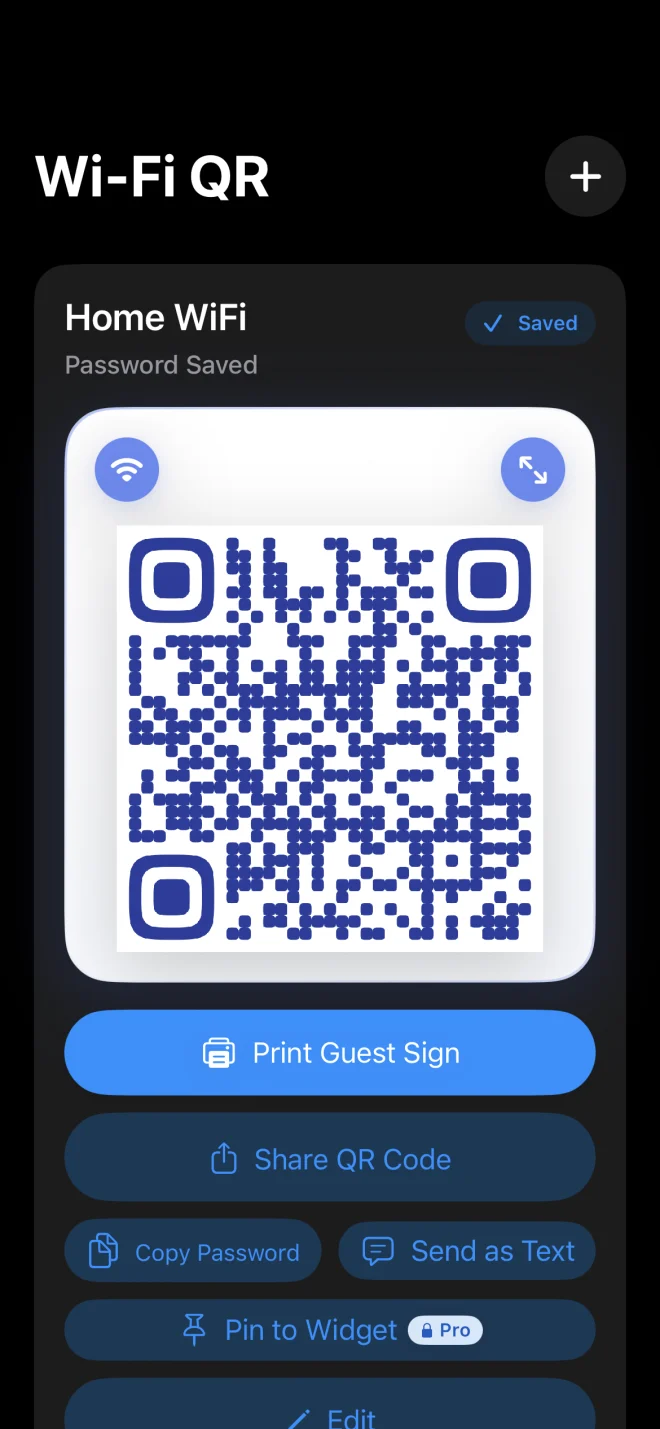
Dim cafés and dark living rooms make phone screens harder for another camera to read. Tap the expand icon on any QR card to open it full-screen. Wi-Fi QR automatically raises display brightness to 100% and keeps the screen awake while your guest scans, then restores your previous brightness and auto-lock setting as soon as you dismiss it. This works free for everyone.
Copy Password & Send as Text
Laptops, smart TVs, and game consoles cannot scan a QR code on your iPhone screen. Under the QR pass, two free quick actions handle them cleanly:
- Copy Password. Copies only the password to your device clipboard—marked local-only so it never syncs over Universal Clipboard—and automatically clears after 2 minutes (120 seconds).
- Send as Text. Formats clean plain text (
Wi-Fi: …andPassword: …) so you can drop it into Messages, AirDrop, WhatsApp, or a guest check-in message.
Custom QR dot patterns, brand color & logo
Cafés, studios, salons, and Airbnb hosts asked for signs that match their space instead of generic black-and-white squares. In 1.9, Wi-Fi QR Pro adds three ways to style both your in-app pass and your printed signs:
- Four QR dot patterns. Keep Squircle (free default) or switch to Dots, Connected, or Classic Square.
- Auto-contrasted brand color. Pick any brand hue in Settings; Wi-Fi QR automatically deepens bright colors so the foreground keeps at least a 6.5:1 WCAG contrast ratio against white and scans reliably in print and grayscale.
- Custom venue logo. Add your café, studio, or rental logo from Photos to render on your QR codes and printable guest signs. Your logo stays on your device and renders with high error correction.
Sticker QR & photo scan, plus faster password entry
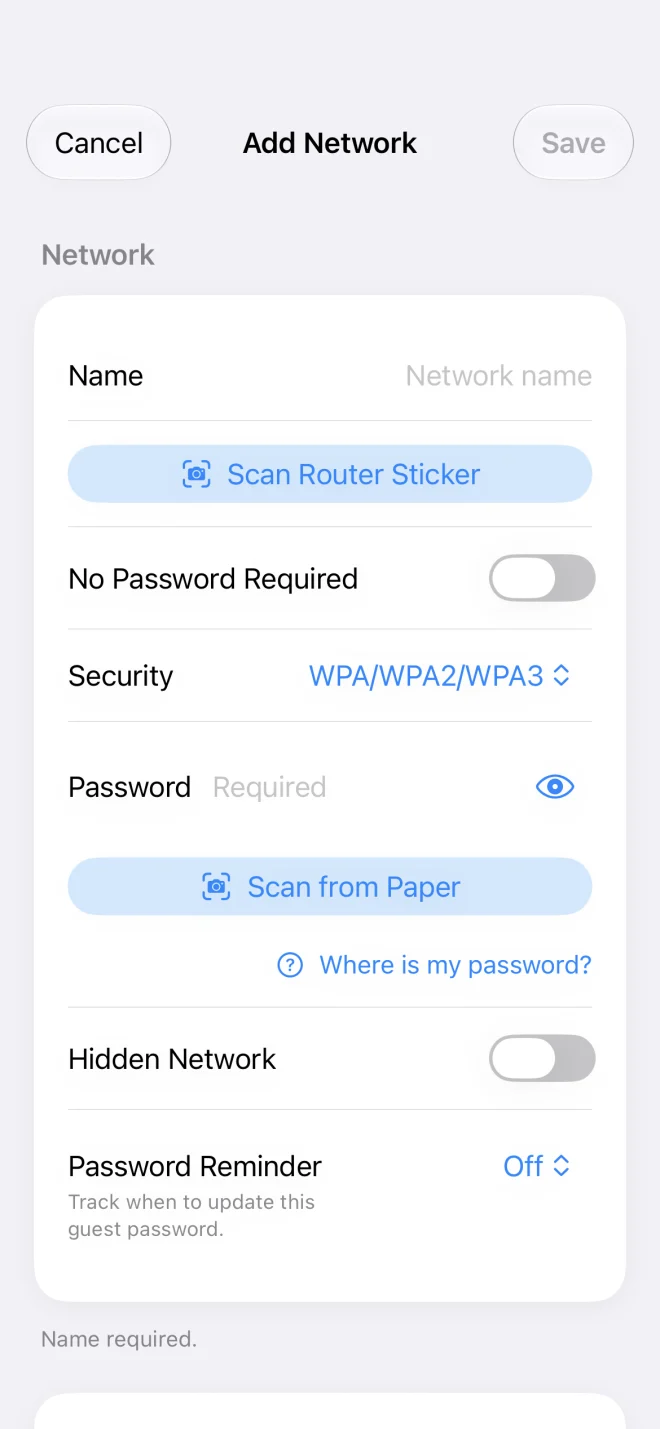
The network editor now reads a Wi-Fi QR code straight from a router sticker photo or a saved screenshot in your photo library, alongside camera OCR for router labels and printed notes. If you prefer typing or copying from iOS, there is a one-tap paste button and quick steps to find saved Wi-Fi passwords in iOS Settings and Passwords.
What stays free vs. Wi-Fi QR Pro
Every core task remains free with zero ads and no subscription:
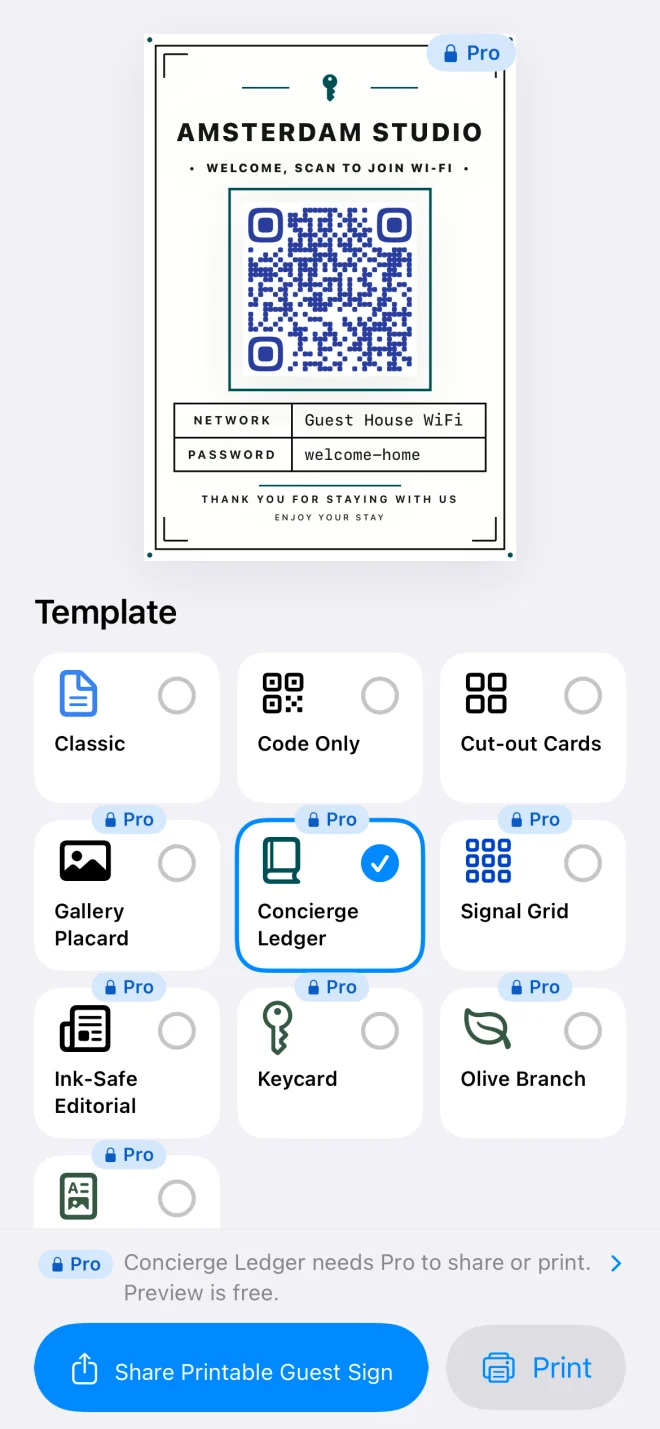
- Free: save up to 2 Wi-Fi networks locally (existing networks always stay viewable, editable, and deletable), unlimited QR code generation, full-screen bright QR mode, Copy Password & Send as Text, router sticker & photo scanning, direct printing, and 3 sign templates (Classic, Code Only, and 8-per-page Cut-out Cards).
- Wi-Fi QR Pro (one-time purchase): Home & Lock Screen widgets, unlimited saved networks, all 10 sign templates (7 Pro layouts including Gallery Placard, Concierge Ledger, Signal Grid, Ink-Safe Editorial, Keycard, Olive Branch, and Arrival Folio), custom QR dot patterns, brand color & venue logo, 3 extra pass themes (Midnight, Sand, Meadow), and hiding the app link on Classic signs.
Prefer making a quick card from a desktop browser? Our free browser Wi-Fi QR & sign generator runs 100% locally in your browser with PNG, SVG, and print export.
Privacy stays the same
Saved networks live locally on your device, with passwords stored in the iOS Keychain. There is no account and no cloud sync. Anonymous usage events in Firebase Analytics never include Wi-Fi names, passwords, QR contents, scanned text, or custom sign text. Read the Wi-Fi QR privacy policy for details.
Questions
Are Home & Lock Screen widgets free in Wi-Fi QR 1.9? Home & Lock Screen widgets are part of Wi-Fi QR Pro, a one-time unlock with no subscription. Once Pro is unlocked, tap Pin to Widget on any saved network to show a scannable QR code on your Home Screen or launch straight from your Lock Screen.
How does full-screen bright QR mode work? Tap the expand button on any QR pass to show it full-screen. Wi-Fi QR raises your screen to full brightness and keeps the display awake while guests scan, then restores your previous brightness and sleep setting when you close it. It is free for everyone.
What happens when I tap Copy Password? Copy Password copies the network password only to your iPhone clipboard—without Universal Clipboard sync to other devices—and expires it automatically after 2 minutes.
Will a custom brand color or venue logo break QR scanning? No. Custom brand colors are automatically adjusted to keep at least a 6.5:1 contrast ratio against white, and custom logos render with high error correction so camera apps keep scanning reliably.
How many networks can I save for free? You can save up to 2 Wi-Fi networks for free, and existing saved networks always stay viewable, editable, and deletable. Wi-Fi QR Pro unlocks unlimited saved networks across homes, rooms, or rentals.
Get the update
Wi-Fi QR 1.9 is live on the App Store for iPhone and iPad. Download or update it free on the App Store. Have a template idea or issue? Reach out through Wi-Fi QR support.