Story · Wi-Fi QR for iPhone
From a hotel Wi-Fi card to the App Store: the story behind Wi-Fi QR
I built a small app for one problem I had in a London hotel. Four days later it was on the App Store, and people I never met started to use it too.
 Abdelrahman Eita · · 4 min read
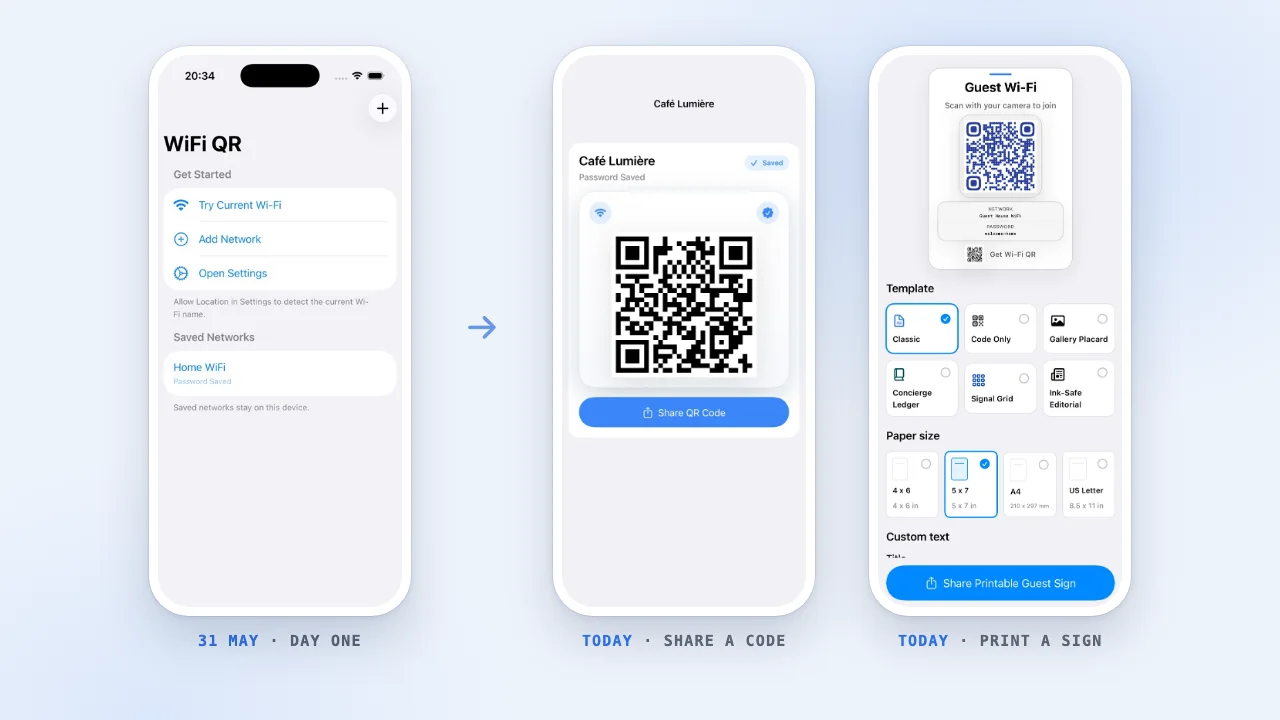
I was on a trip to London. When I got to the hotel, the Wi-Fi name and password were written on a card. So I did what everyone does: I typed a long password by hand, one letter at a time.
I knew that Android has a better way. On an Android phone, you can open the Wi-Fi settings, tap Share, and show your network as a QR code. Another phone scans it and joins. The iPhone camera can also join a network from a QR code, but I did not know of any way to make one on my iPhone.
So I asked myself: why not make it myself?
Later I learned that iOS 18 can do it too. But the feature is well hidden in the Passwords app, it only works for networks your iPhone already joined, and you cannot print the code as a sign for guests.
In short
- The idea: a Wi-Fi QR code on iPhone, like Android has
- Built with Codex: first code on 31 May 2026, on the App Store on 4 June
- Other people needed it too, so I kept going
- Today: version 1.7, printable guest signs, 12 languages, still free
A Wi-Fi QR code is a short line of text
A Wi-Fi QR code does not hold anything secret or special. It holds one short line of text, like this:
WIFI:T:WPA;S:Hotel Guest;P:the-password;;
T is the security type, S is the network name and P is the password. When you point the iPhone camera at the code, iOS reads this line and asks if you want to join the network. You type nothing.
So the app only had to do a few things well: keep my networks, put the right text in the code, and make the code easy to show and share. It looked like a weekend project. I thought it was an app that only I needed.
Built with Codex, live four days later
I used Codex to build the first version. I described what I wanted, Codex wrote the code, and I tried each part on my own iPhone. The project started on 31 May 2026. On the first day, the app could already:
- save Wi-Fi networks on the device,
- find the name of the network you are on, when iOS allows it,
- make the QR code and share it as an image.
The next day I made the design cleaner. The day after that, the app spoke 12 languages. On 4 June 2026, Wi-Fi QR was live on the App Store. I put it there mostly so that I had it on my own phone.
Then other people started to use it
I did not expect much. But people I never met found the app and downloaded it. A small tool for my own problem was useful to other people too.
That changed how I thought about the app. On that trip, I was the guest. But someone at the hotel wrote that card, and every host, café and office has the same problem. So most of the work after launch was for the person who shares the Wi-Fi:
- Scan a password from paper. Point the camera at a router sticker or a printed card, check the text, and save it.
- Print a guest sign. Put the QR code, the network name and the password on a card for a room, a desk or a front door.
- Make the sign fit. Long router passwords shrink and wrap, so they never run off the paper.
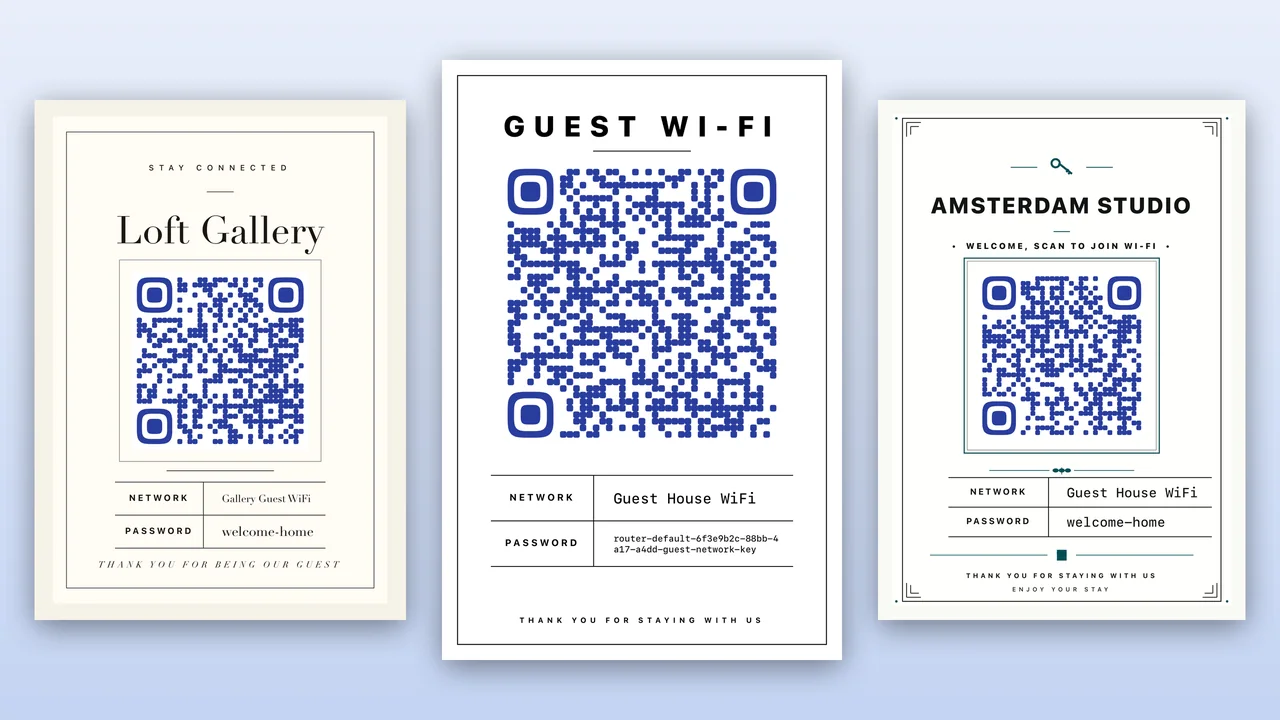
Where the app is today
Wi-Fi QR is now at version 1.7. It has six sign templates and four paper sizes, it supports WPA and WEP networks, and it reads router stickers in English, German, French and Arabic. The 1.7 release notes have the full list.
Some things did not change from day one. The app is free, with no ads and no account. Your networks and passwords stay on your device unless you share a code or a sign.
What I took from it
- Start with a problem you have yourself. I knew exactly what the app had to do, because I stood in that hotel room.
- Ship the small version. The first version did one thing. That was enough to learn that other people wanted it.
- Other people find uses you did not plan. I built it for the guest. Most of the work since then is for the host.
If you have a Wi-Fi card on your fridge or a router sticker that guests always ask about, try it. Questions or ideas? Write to me through Wi-Fi QR support.