Launch · SwingCoach for iPhone
SwingCoach is out: a kettlebell swing coach for iPhone
I wanted better kettlebell swings, so I recorded myself. Then I asked a simple question: why can the computer not count and check them for me? That question became SwingCoach, and it is on the App Store today.
 Abdelrahman Eita · · 4 min read
Today I released SwingCoach: Kettlebell Workout, version 1.0. It is an iPhone app for the Russian kettlebell swing. You set your iPhone down, step back and swing. The camera counts each rep and checks your form. It is free, and it is on the App Store now.
In short
- Why I built it: I wanted to fix my own swings.
- Why only the swing: perfect one move first.
- Why a phone app, and not a website.
- What it does: a live rep count, spoken form cues and a rep review.
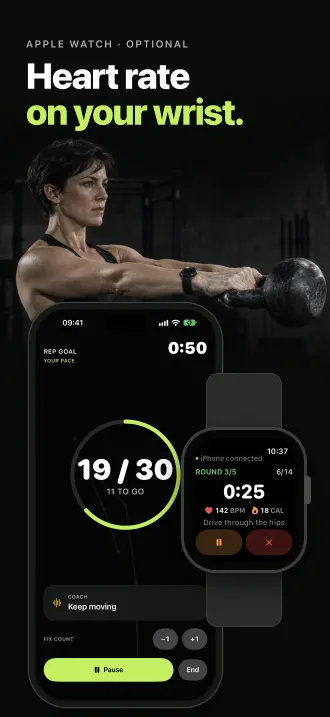
- Apple Watch, optional: heart rate, calories and Apple Health.
- No account, no video uploads, no ads and no in-app purchases.
It started with my own swings
I train with a kettlebell, and I wanted to make my swings better. So I did the simple thing: I set my phone down and recorded myself.
The videos helped. I could see when I squatted instead of hinged, or when I did not finish tall at the top. But after each set, I scrubbed through the clip, counted reps by hand and guessed my angles. That took a lot of time.
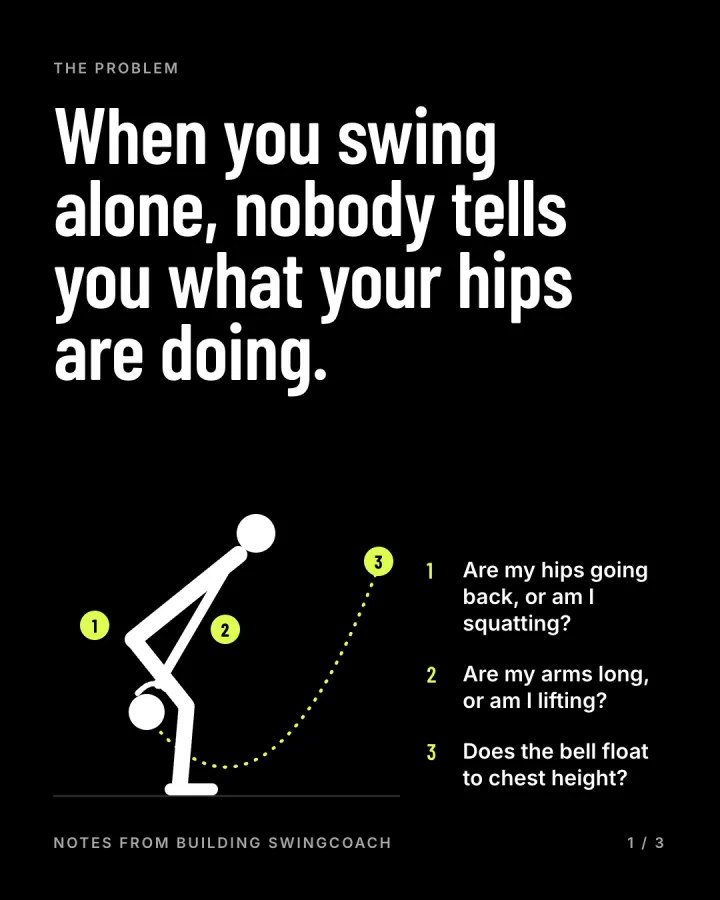
Then I had a simple thought: the computer can see my body in the video. Why does it not count the reps and measure the form for me? That thought started this project.
Why only the swing
Kettlebells can do a lot: cleans, snatches, get-ups, presses and more. SwingCoach does one move. That was on purpose.
Most kettlebell coaches say the same thing to beginners: learn the swing first, and practise only the swing until it is right. The swing teaches the hip hinge, and many other kettlebell moves build on it. I followed that advice in my own training, so I built the app the same way. One move, done well, before anything else.
Why a phone, and not a website
I saw websites that do something like this. You upload a video, and you get a result later. That did not fit how I train. I think a phone does this job better:
- The phone is already there. It is in the gym bag, and it has a good camera.
- The feedback is live. SwingCoach counts while you swing and speaks a cue in the set, not after it.
- It stays on the device. Pose analysis runs on the iPhone with Apple's Vision framework. No video goes to a server.
- It works with your watch. A phone can talk to an Apple Watch, and a website cannot.
What SwingCoach does
Put your iPhone at hip height, 3 to 4 m (10 to 13 ft) away. Stand side-on, with your full body in the frame. Then swing.
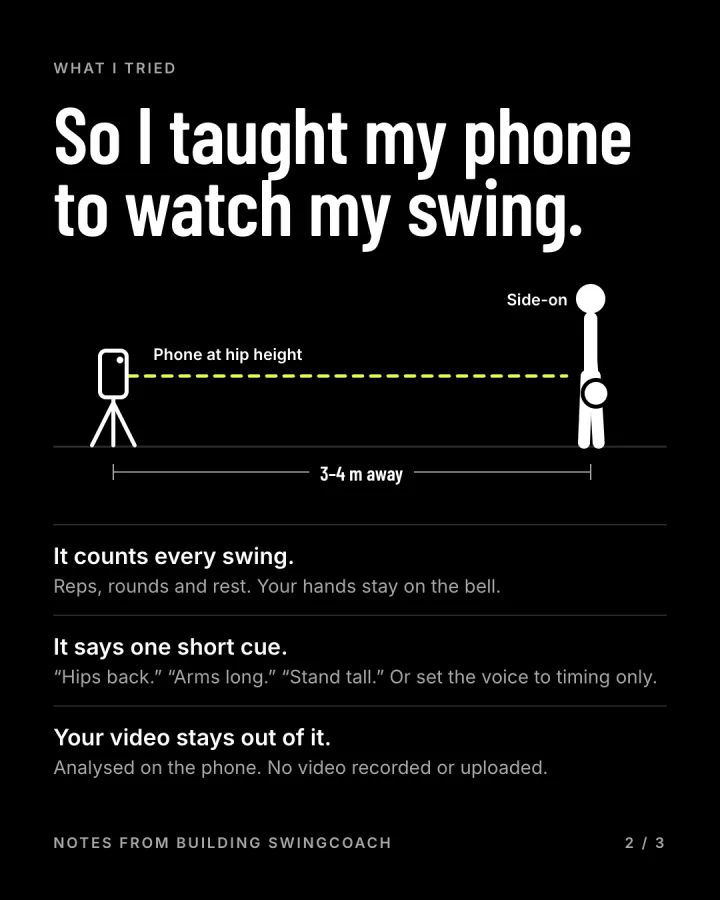
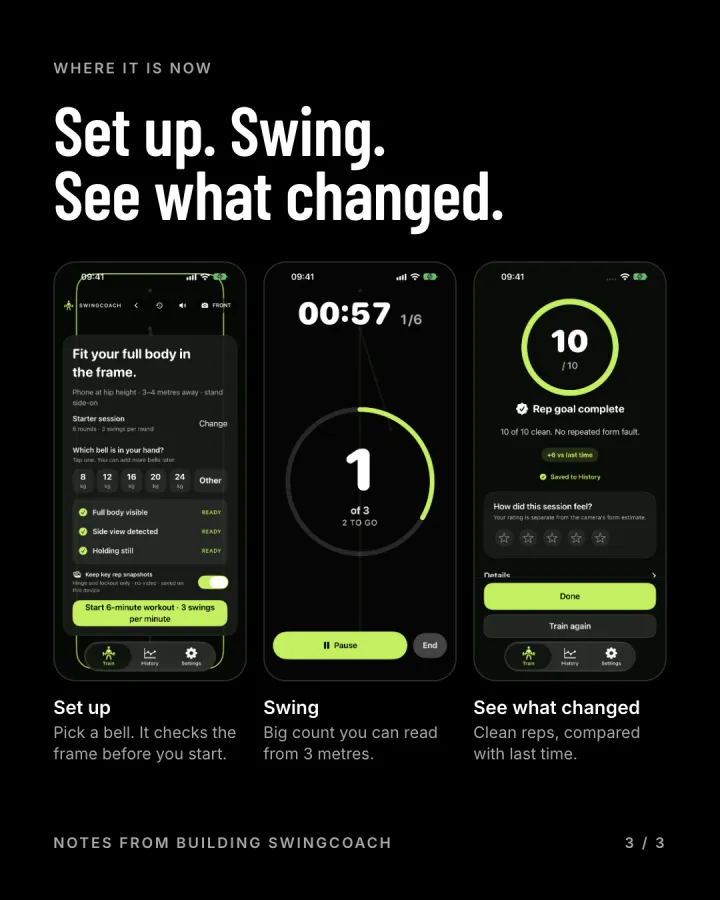
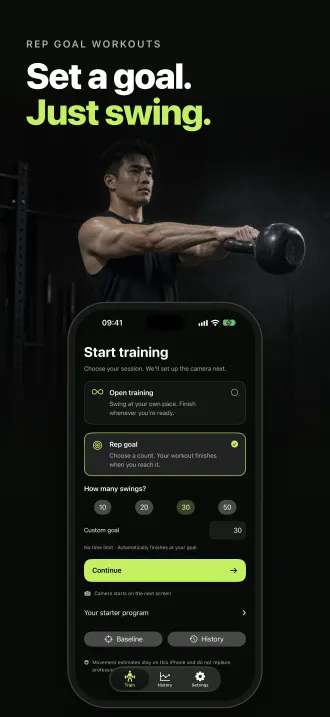
- Live rep count. The camera finds your hips, knees and arms and counts each swing. If the count is wrong, fix it with +1 or −1.
- Spoken form cues. When a fault repeats, you hear a short cue, such as "Hinge more, bend your knees less" or "Finish tall at the top."
- A five-swing check. Do five easy swings. You get one clear thing to work on and a three-session starter plan.
- Rep review. Each rep shows the deepest hinge and the final lockout, with hip, knee and arm angles. History shows your total swings and form trend.
Then I added the Apple Watch
The camera sees your form. It cannot feel your heart. So after the camera worked, I added an Apple Watch app. With a paired watch, you see heart rate and active calories on your wrist. You can start, pause and end the workout from the watch, and SwingCoach saves it to Apple Health.
For me, this is where mobile wins. The camera gives the form, and the watch sensors give the effort. Together they tell a fuller story of each set. The watch is optional. The iPhone does the counting without it.
No account, no video uploads
A camera app must earn your trust, so I kept the list of things it does not do long:
- No account. You do not sign up.
- No video recorded or uploaded. The pose analysis runs on your iPhone.
- No ads and no in-app purchases.
Your history and rep snapshots stay on your iPhone. The privacy policy has the details.
One note: SwingCoach estimates your movement from a 2D side view. It is not a medical check, and it does not replace a qualified coach. Train within your ability, and clear the space around you before you swing.
Get SwingCoach
SwingCoach needs an iPhone with iOS 17 or later. The optional Apple Watch app needs watchOS 10 or later. Download it on the App Store and start with five swings. Read more on the SwingCoach page. If the count is wrong or a cue is not clear, write to me through SwingCoach support.