Launch · ColorTalk for iPad
ColorTalk is out: ABC coloring for kids on iPad
ColorTalk is on the App Store today. It is an ABC coloring app for children 5 and under. Each page has one letter and one word, and the coloring comes first.
 Abdelrahman Eita · · 3 min read
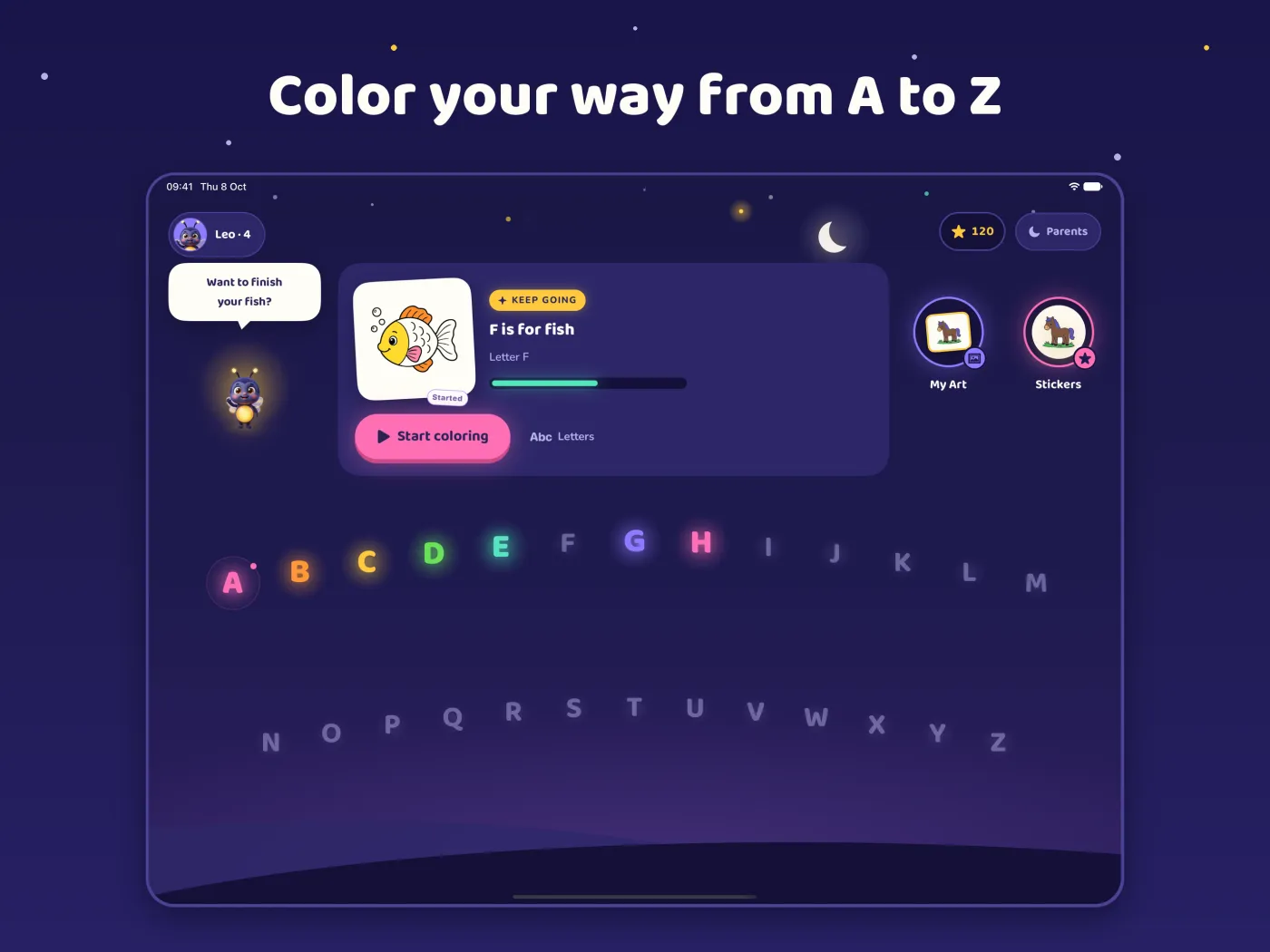
Today I released ColorTalk: ABC Kids Coloring, version 1.0. It is a calm iPad app for children 5 and under. Your child picks a letter, colors its page, and meets the letter and one word. It is free, and it is on the App Store now.
In short
- One letter, one word on each page: "C is for cow."
- Coloring comes first. The letter and the word support the art.
- Works offline, in landscape, on iPad. The app is in English.
- No ads, no accounts, no tracking and no in-app purchases.
- A Parents area behind a grown-up question.
How a page works
On the home screen, the letters run in a path from A to Z. Your child picks a letter and colors its page. Then your child meets the letter and one word.
Every letter has a page with a word that starts with its usual sound. For C, the page says "C is for cow." X is the one exception: the page says "Fox ends with X."
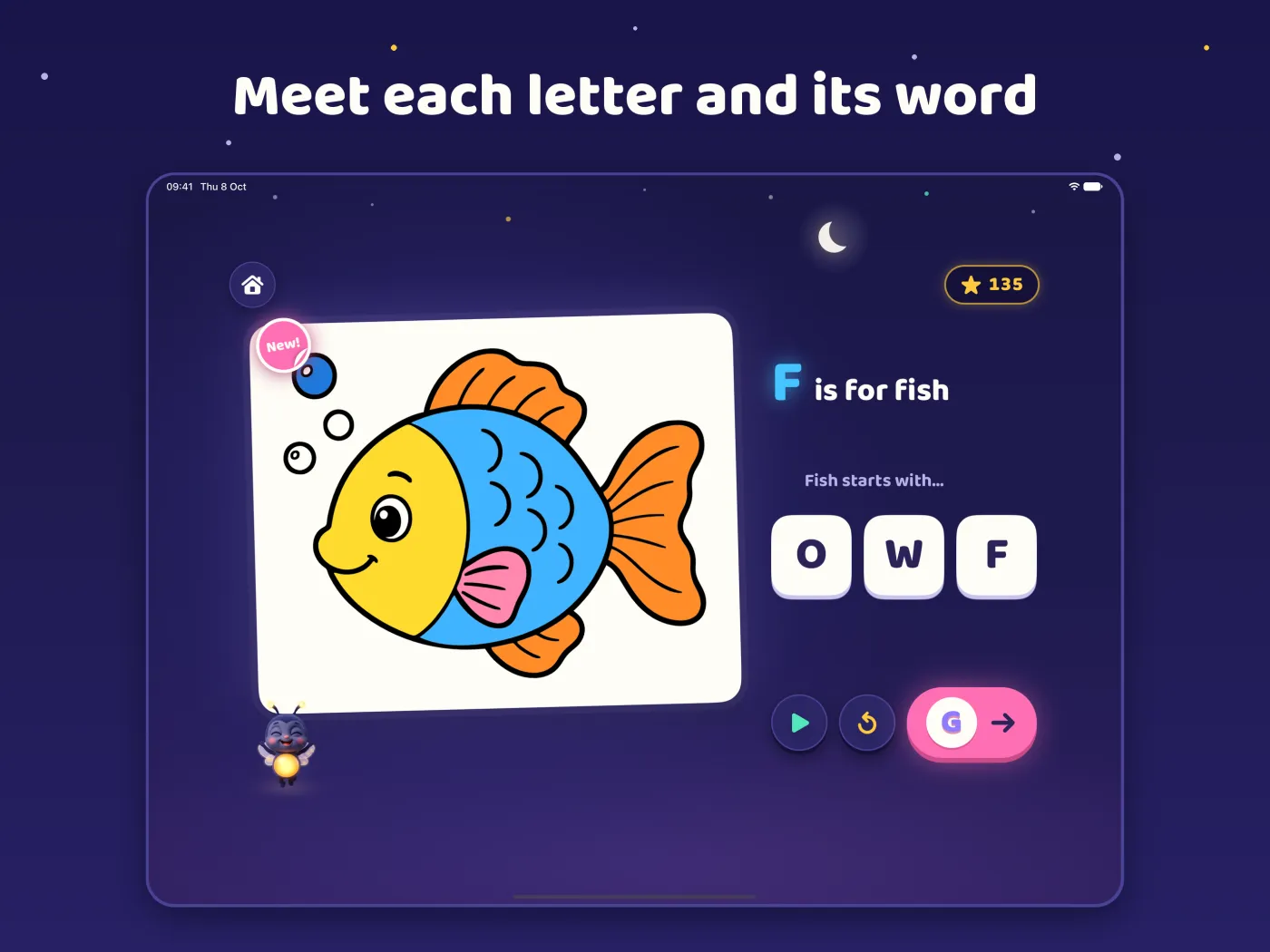
Coloring comes first
ColorTalk is a coloring app. The pages are big, and the buttons are large, so small hands can use them on iPad in landscape. The letter and its word support the art. They do not take its place.
Lumo the firefly is in the app too. Lumo can say the letters, words and prompts in recorded voice clips. The voices are off until a parent turns them on. If you prefer a quiet app, leave them off. It works fully without voices.
It works offline
All pages, words and prompts are inside the app. ColorTalk needs no internet connection, so it works on a plane or in the car.
No ads, no accounts, no tracking
I made ColorTalk for children, so the list of things it does not have is long:
- No ads.
- No accounts. Your child does not sign in.
- No tracking. ColorTalk sends no analytics or crash reports.
- No in-app purchases.
- No external links. Nothing in the app leads your child away.
Progress, the profile and settings stay on the iPad. The privacy policy has the details.
For parents
Tap Parents on the home screen and answer the grown-up question. The Parents area holds Settings and your child's progress. Your child does not need it to play.
Progress shows in plain numbers: letters, pages finished, days played this week and the words your child has heard. To let Lumo talk, tap Settings and turn on Spoken Prompts.
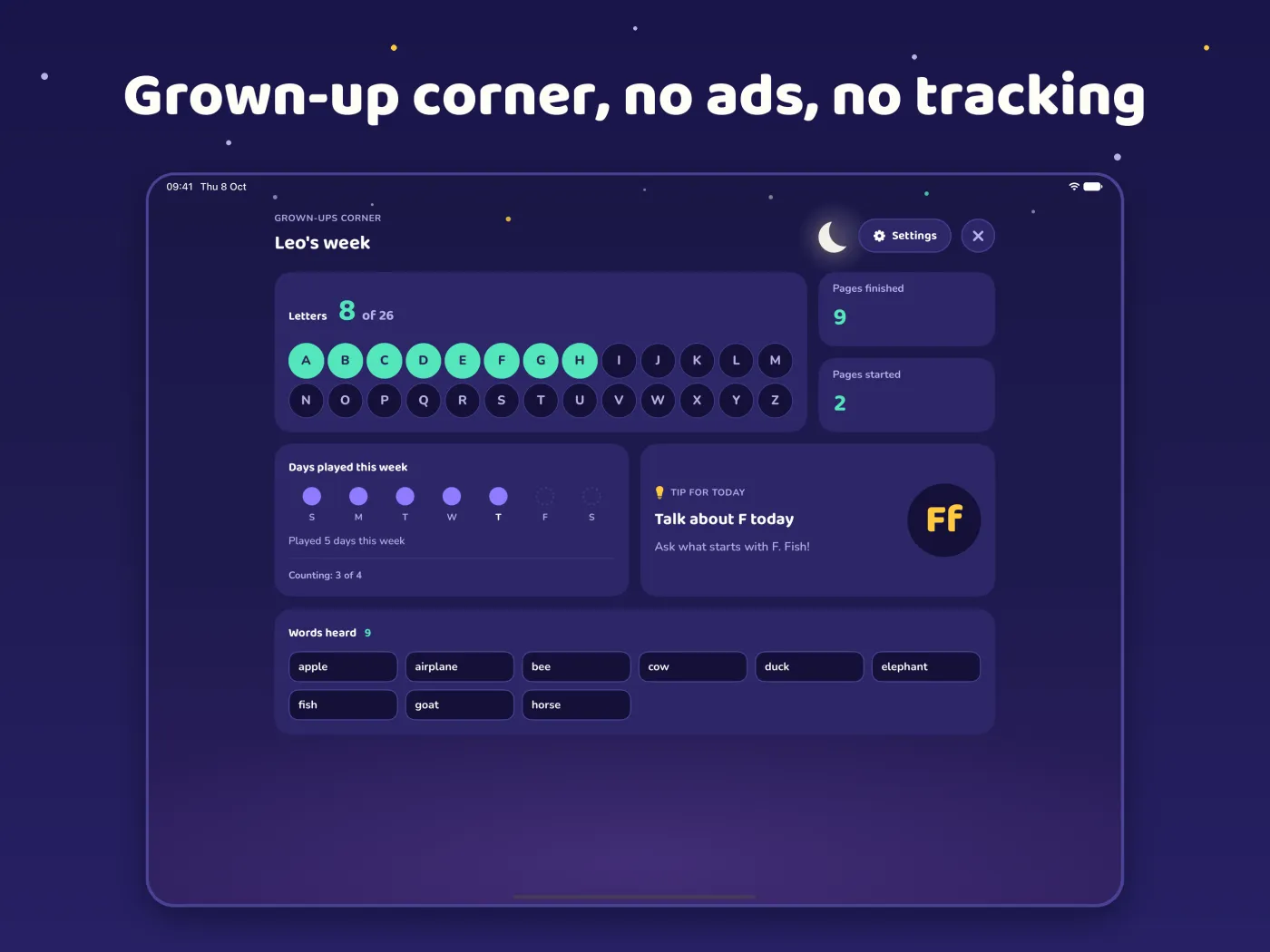
One tip from the support page: after a page, ask your child what else starts with the same letter.
Get ColorTalk
ColorTalk is for iPad only. It runs in landscape and is in English. Read more on the ColorTalk page. If you find a bug, or you have a letter word to suggest, write to me through ColorTalk support.