Release notes · Tally for Apple TV
Tally 1.3.2: the Apple TV scoreboard is now fully free
Every sport and Game Night mode are now unlocked for everyone. No subscription, no paywall, no ads, and no analytics.
 Abdelrahman Eita · · 3 min read
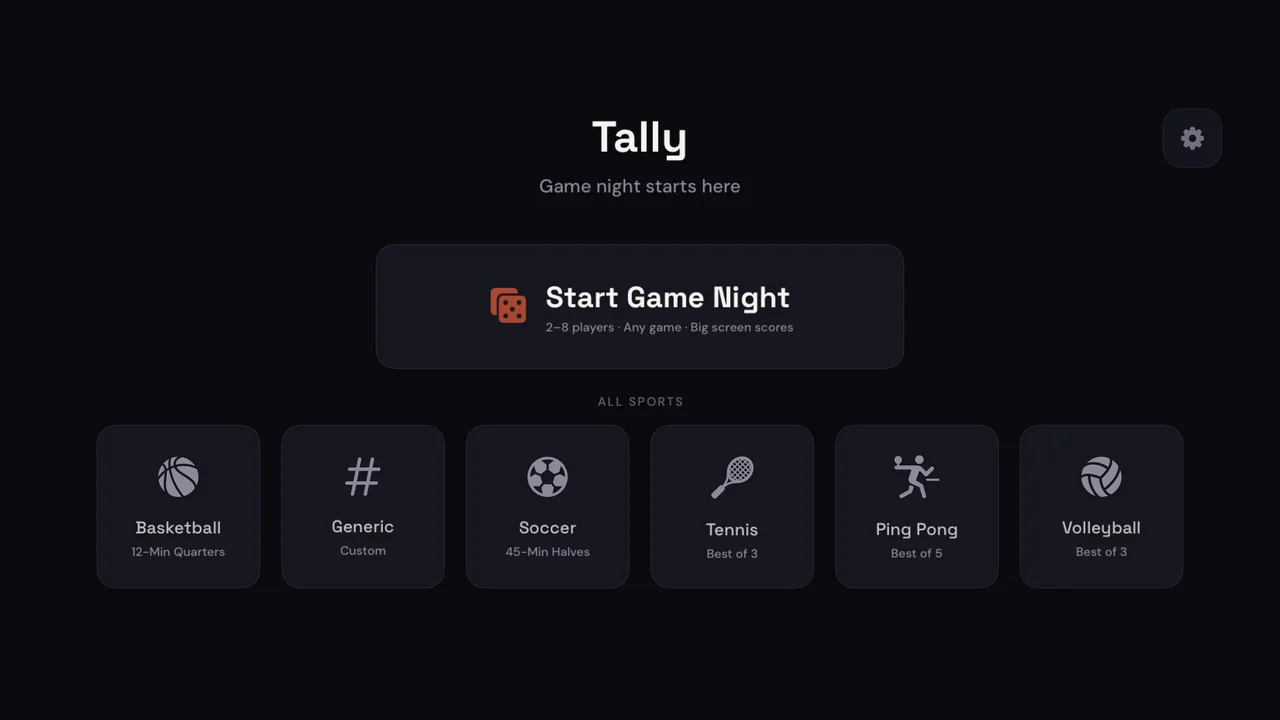
Tally is a scoreboard app for Apple TV. You keep score with the Siri Remote, and the whole room sees giant numbers on the TV. Version 1.3.2 came out on 28 August 2026, and it makes one big change: Tally is now completely free.
In short
- Everything is unlocked: all sports, Game Night, timers and player colors
- If you paid for Pro, you do not need to do anything
- No analytics: the app now collects no data
- Siri Remote focus fixes
Everything is unlocked
Before 1.3.2, the free version had Basketball and the Generic scoreboard. The other sports, Game Night mode, the round timer and the player colors needed Tally Pro. Now there is no Pro. You get all of it:
- Six sports with real rules: Basketball, Soccer, Tennis, Ping Pong, Volleyball and a Generic scoreboard for any game.
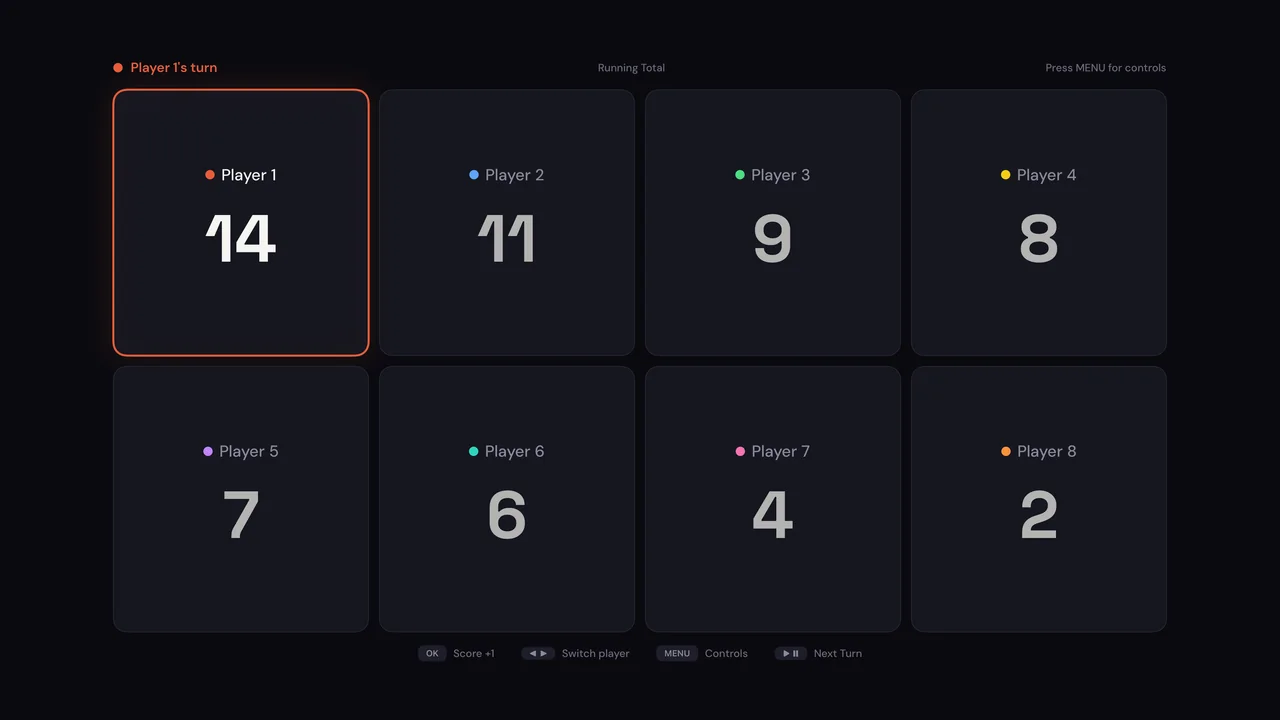
- Game Night mode for 2–8 players, with custom names and eight colors.
- Three ways to score Game Night: Running Total, Rounds Won and Lives.
- Timers: game clocks for the sports, and an optional 5 or 10-minute countdown for Game Night.
- The finish: ranked standings, an MVP badge and Play Again with the same players.
There are no subscriptions, in-app purchases, paywalls or ads. The upgrade screens and the Tally Pro row in Settings are gone.
If you paid for Tally Pro
Thank you. You keep everything, and you do not need to do anything. Settings still has a Restore Purchases row if you want it, but the app no longer needs a purchase to unlock a feature.
No analytics
Tally no longer includes Firebase. The app has no analytics, no ads, no accounts and no tracking. Your team names and settings stay on your Apple TV. The privacy policy now says this.
Fixes
The Siri Remote focus works better on the first-launch screens. Focus now lands where you expect it, so you can start your first game faster.
How to play with the Siri Remote
- Swipe left or right to pick a team or a player.
- Press Select to score.
- Press Play/Pause to start or stop the clock. In Game Night, it moves to the next turn.
- Press Menu for the controls overlay. Hold Menu for a quick undo.
How to get it
Tally needs tvOS 17 or later, and it works on Apple TV 4K and Apple TV HD. If automatic updates are on, your Apple TV installs 1.3.2 by itself. If you are new, find Tally in the App Store on your Apple TV and download it for free. Questions or ideas? Write to me through Tally support.