Release notes · Capybara Rush for iPhone
Capybara Rush 1.5: daily runs, the Capybara Cup and a poster of your best run
One 30-second run a day that counts, a four-week Cup from 11 November, and a poster that dares your friends to beat your score.
 Abdelrahman Eita · · 4 min read
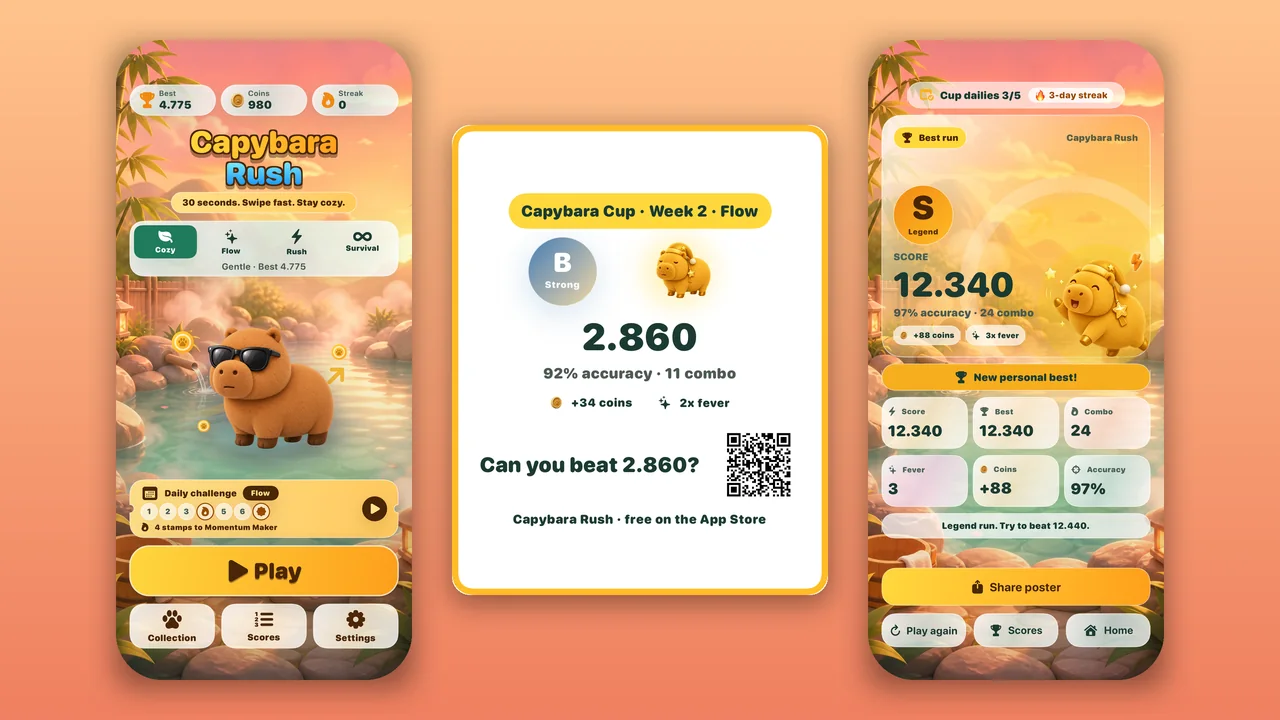
Capybara Rush is a cozy swipe game for iPhone. A round lasts 30 seconds: an arrow appears, and you swipe that way before time runs out. Version 1.5 gives you a reason to come back every day, and a reason to show your friends. Here is what is new.
In short
- A daily run with its own Game Center board from 21 October
- The Capybara Cup: four weeks, 11 November to 8 December
- A poster of your run to share or save to Photos
- Six Game Center achievements
- A clearer results screen
- One optional question about how you found the game
One daily run that counts
The Home screen now has a Daily challenge ticket. Every day has a level, Cozy, Flow or Rush, and every player gets the same arrows that day. Your timing still shapes the round, so no two runs are the same.
- Your first attempt each day counts. It goes to the daily Game Center board. The attempt is used when the round starts, so quitting halfway does not give you a second try.
- After that, you can play the daily again for practice. Practice runs still count for your all-time best and your streak.
- The ticket has seven stamps, one for each day you play. Your streak earns badges at 4, 7 and 14 days.
- You can turn on a reminder at 19:00 your time, if you want one.
The daily Game Center board starts on 21 October 2026 and resets every day.
The Capybara Cup: four weeks from 11 November
The Capybara Cup runs for four weeks, from 11 November to 8 December 2026:
- Week 1: 11–17 November
- Week 2: 18–24 November
- Week 3: 25 November – 1 December
- Week 4: 2–8 December
During the Cup, the daily run is the Cup run. Your first attempt each day also counts on the weekly Capybara Cup board in Game Center. Cup days follow your own local date. The results screen shows how many Cup dailies you have played. Finish five to earn the Cup Finisher badge and a gold frame on your poster.
A poster of your run
After a run, tap Share poster. The poster shows your capybara, your grade, your score, your accuracy and combo, the coins you earned and your fever count. At the bottom it asks “Can you beat” your score, with a QR code your friends can scan to get the game. You can send it with the share sheet or save it to Photos. A Cup run gets a stamp with the week and the level.
Six Game Center achievements
- First Splash: play your first round.
- Daily Debut: play your first daily run.
- Weekly Finisher: fill all seven daily stamps.
- Survivor: score in Survival mode.
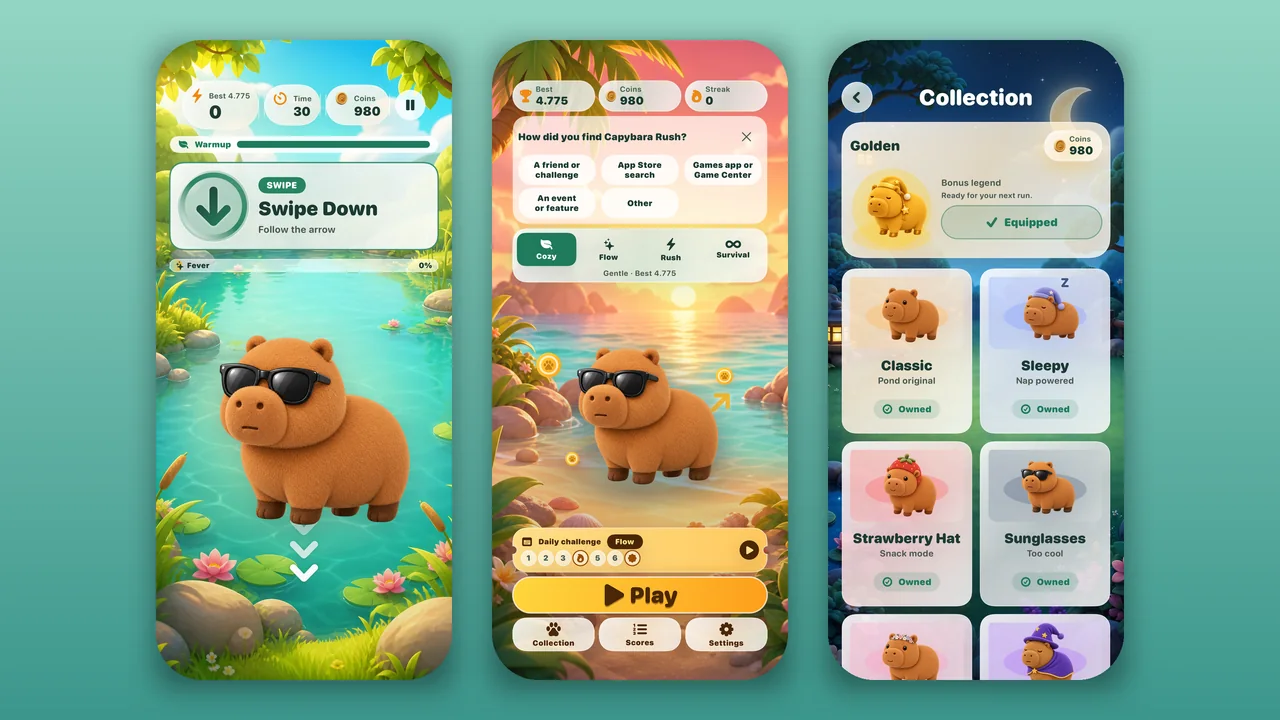
- Full Wardrobe: collect the seven original skins, from Classic to Golden.
- Century: play 100 rounds.
A clearer results screen
The results screen now makes the next step obvious. Play again is the big button, with a goal such as “Only 120 to your best”. On your first daily run, or when you set a new best, Share poster takes its place. Below it, the row has Play again, Share, Scores and Home. Scores opens the board for the run you just played.
One quick, optional question
The Home screen may ask once: “How did you find Capybara Rush?” You can pick a friend or challenge, App Store search, the Games app or Game Center, an event or feature, or Other. Or tap the X and it goes away. The answer helps me learn where new players come from.
The game, if you are new
Each round lasts 30 seconds. Swipe the way the arrow points. Later in the round, twists appear: swipe the opposite way, or any way except the one shown. Correct swipes build a combo and fill the Fever meter, which doubles your points for five seconds. Golden prompts give bonus points and coins. Pick Cozy, Flow or Rush, or try Survival, which has no clock and ends after three mistakes. Spend your coins on capybara skins.
Price
Capybara Rush is free, with no ads, no in-app purchases and no account. Coins come only from play. Game Center is optional. The game collects anonymous usage statistics only, and it does not track you across other apps.
How to update
If automatic updates are on, your iPhone installs Capybara Rush 1.5 by itself. You can also open the App Store, find Capybara Rush, and tap Update. Sign in to Game Center to post your daily runs to the boards. Questions or ideas? Write to me through Capybara Rush support.