Product · Sajdah for Apple TV
The Prayer Screen: prayer times that look good on your TV all day
Most TVs sit dark between shows. With Sajdah, the biggest screen at home can show the day's prayers instead, in a design that fits the room.
 Abdelrahman Eita · · 5 min read
In many homes, the prayer times live on a phone. You unlock it, open an app, and look for the next prayer. In a masjid it is different: the times hang on the wall, and everyone in the room can see them. I wanted that feeling at home, on the screen the whole family already looks at.
That is the Prayer Screen in Sajdah, the Quran and Athan app for Apple TV. It shows the day's prayer times full screen, with a live countdown to the next prayer, and it stays on between prayers. This post shows the six styles and the small decisions that make it work on a TV.
In short
- Six full-screen styles: Classic, Focus, Horizon, Timetable, Rosette and Board
- Made to read from the sofa: one large name, one large countdown
- Arabic names and full Arabic layout
- Safe to leave on all day, with burn-in protection
- Free preview, and all styles with Sajdah Premium
How it works
Open the Prayer Screen from its tile on the Today screen. The screen fills with the day's times, and a small chip tells you what to do:
- Swipe up or down on the remote to change the style.
- Press Back to leave.
The chip goes away after four seconds. Sajdah remembers the last style you picked, so the next time it opens the way you left it.
Six styles for six kinds of rooms
Every style shows the same facts: the next prayer, a countdown to it, all six times of the day (Fajr, Sunrise, Dhuhr, Asr, Maghrib and Isha), and the Hijri and Gregorian dates. What changes is the mood.
Classic
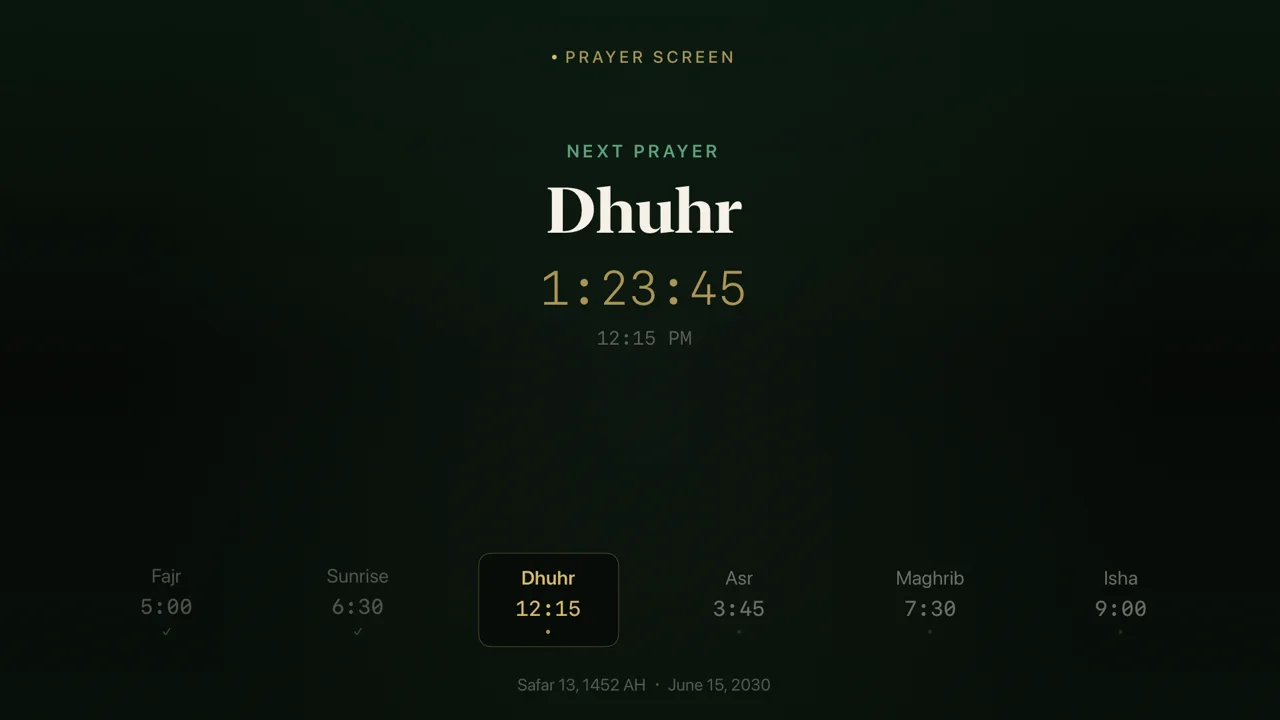
Dark green, with the name of the next prayer in a large serif and a gold countdown under it. The six times sit in one row at the bottom, and the next one has a frame around it. This is the calm, simple choice.
Focus
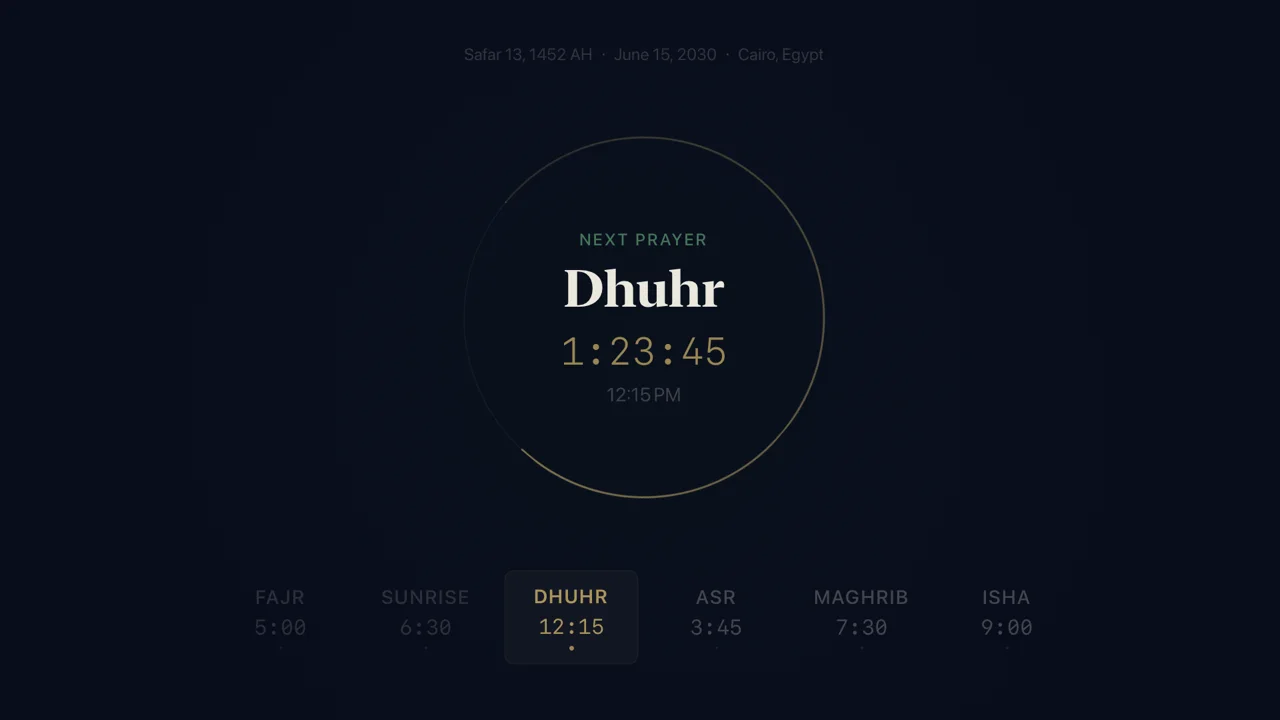
Deep navy, with a thin gold ring around the next prayer. The ring fills as the time between two prayers passes, so you can see how close the next one is without reading a number.
Horizon
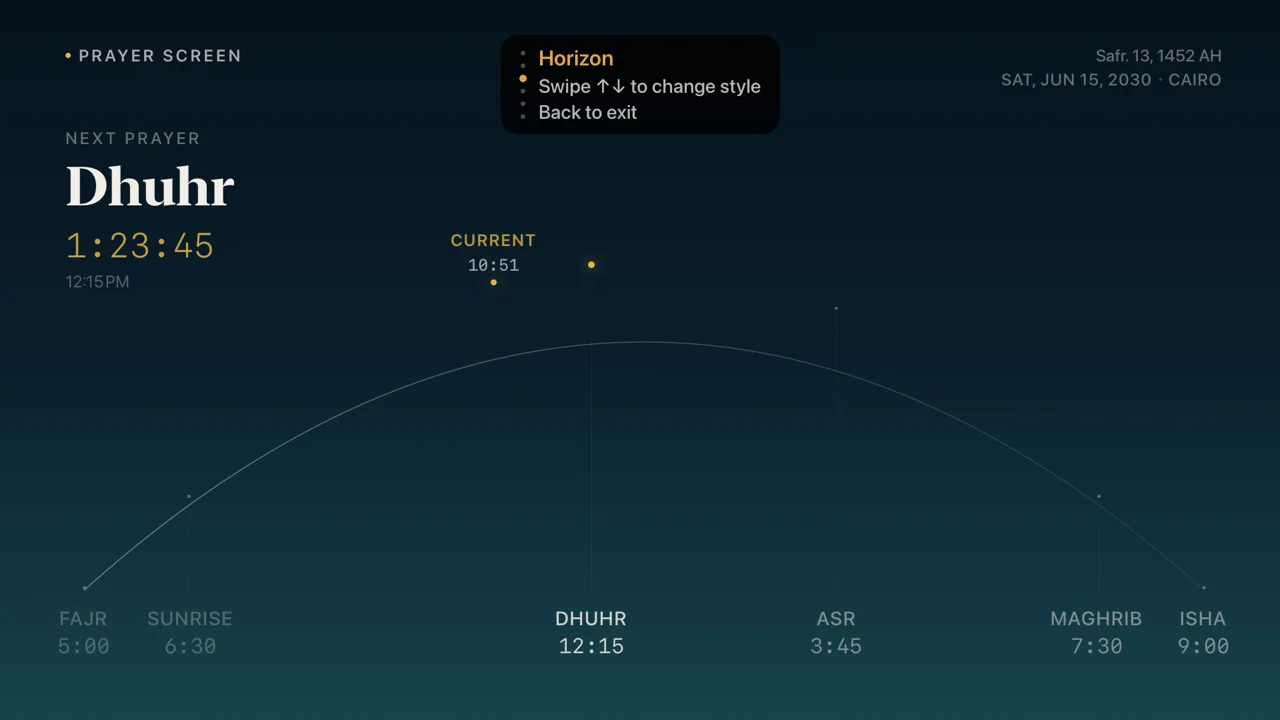
The path of the sun across the day, from Fajr to Isha. Each prayer sits at its place on the arc, and a gold dot marks the time now. It is the style that opens first, and the one I leave on most.
Timetable
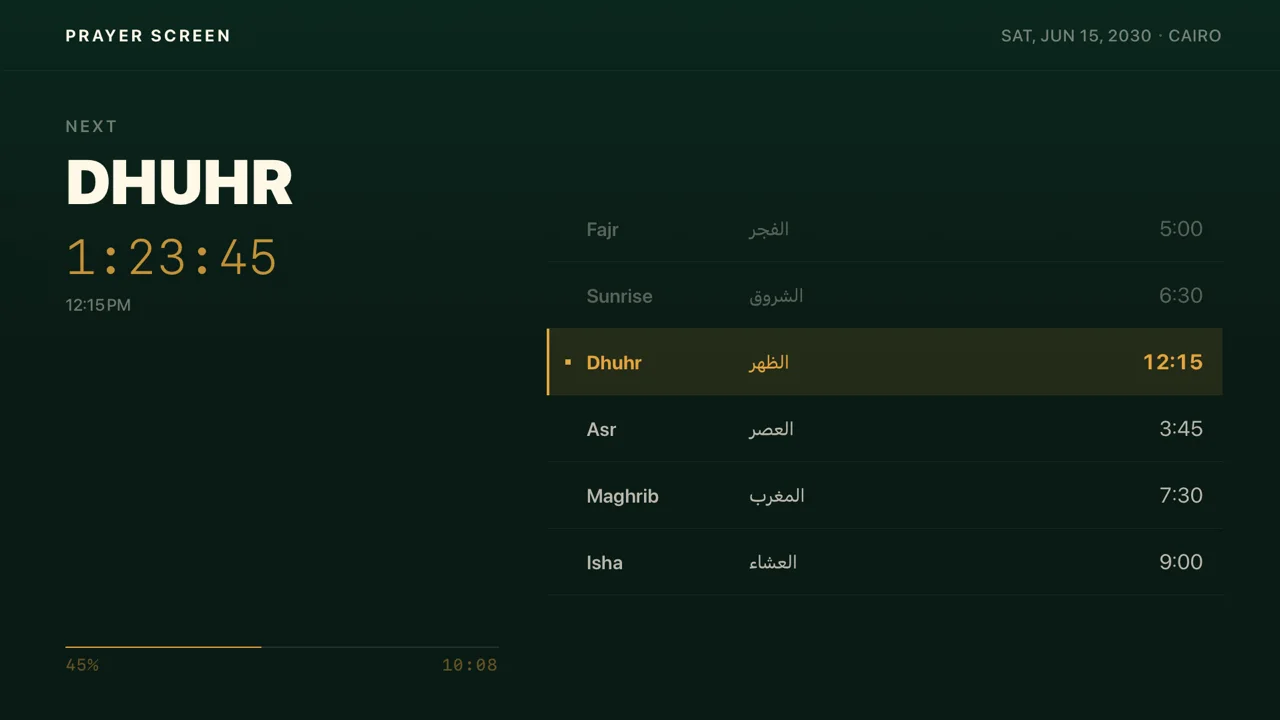
A clear table, like the board at the door of a masjid. The left side shows the next prayer in large letters with its countdown. The right side lists each prayer in English and Arabic with its time, and a bar shows how much of the wait has passed.
Rosette
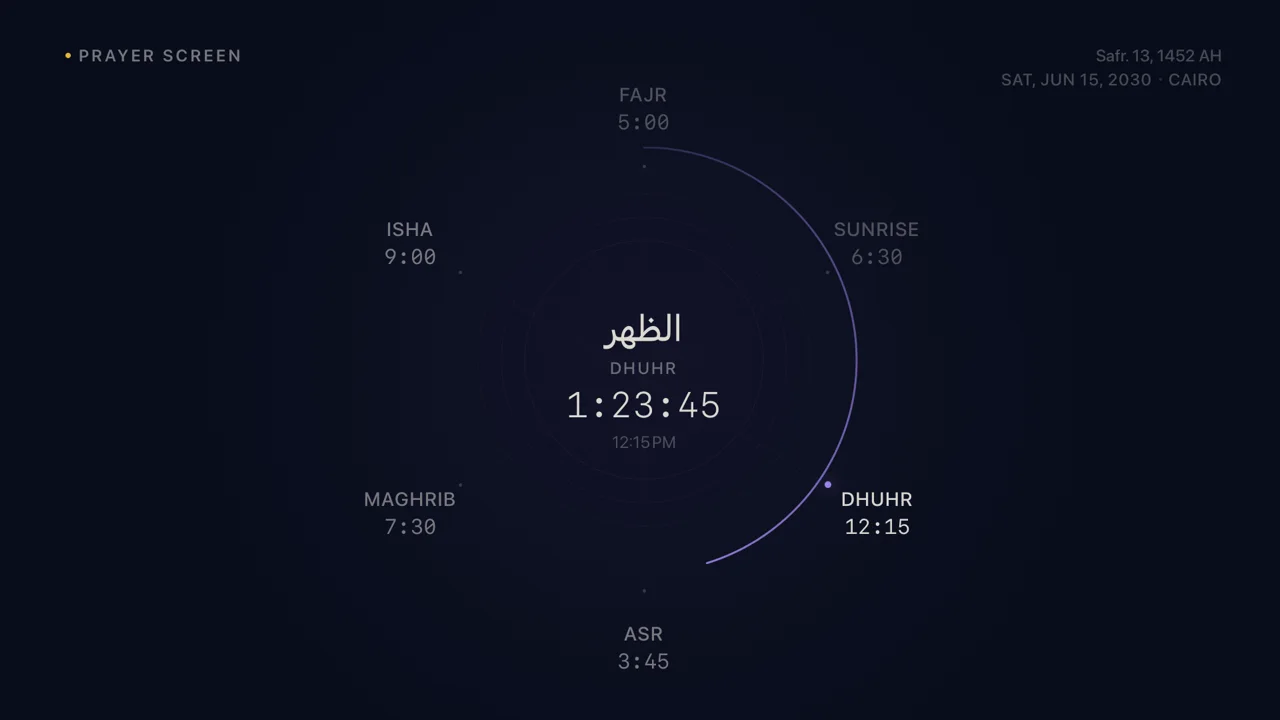
The day as a dial. The six prayers sit around a circle, and a violet arc runs from the last prayer to the next. The Arabic name of the next prayer, الظهر in this picture, sits at the center.
Board
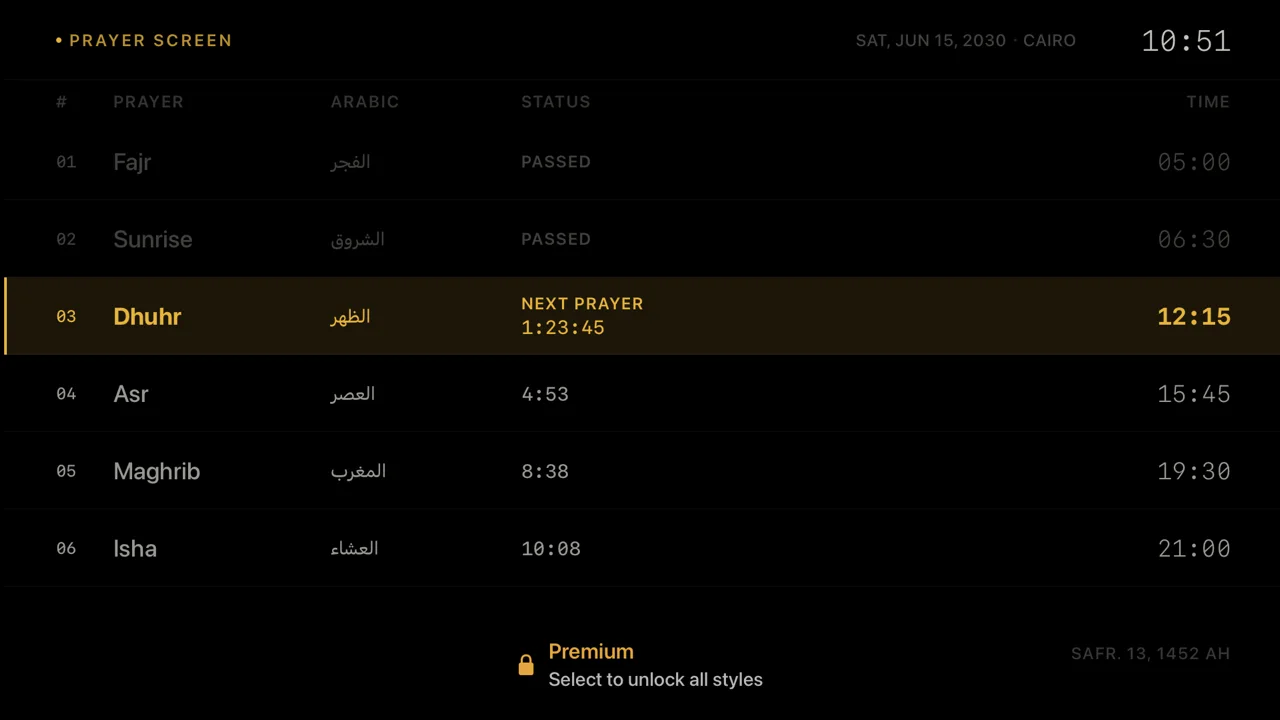
Black, like a departure board at an airport. Each prayer has a numbered row with its status: passed, next with a countdown, or the time left until it comes. The clock sits at the top corner. This is the one guests ask about.
Made to read from the sofa
A TV is three meters away, not thirty centimeters. So each style puts one thing first: the name of the next prayer and how long until it comes. You can read both from across the room in a second. The other times are smaller, and the prayers that have passed are dimmer, so your eye goes to what matters now.
The countdown and times use numbers of equal width, so the digits do not jump as the seconds change. The colors are dark and soft, so the screen does not light up the room at night.
In Arabic, too
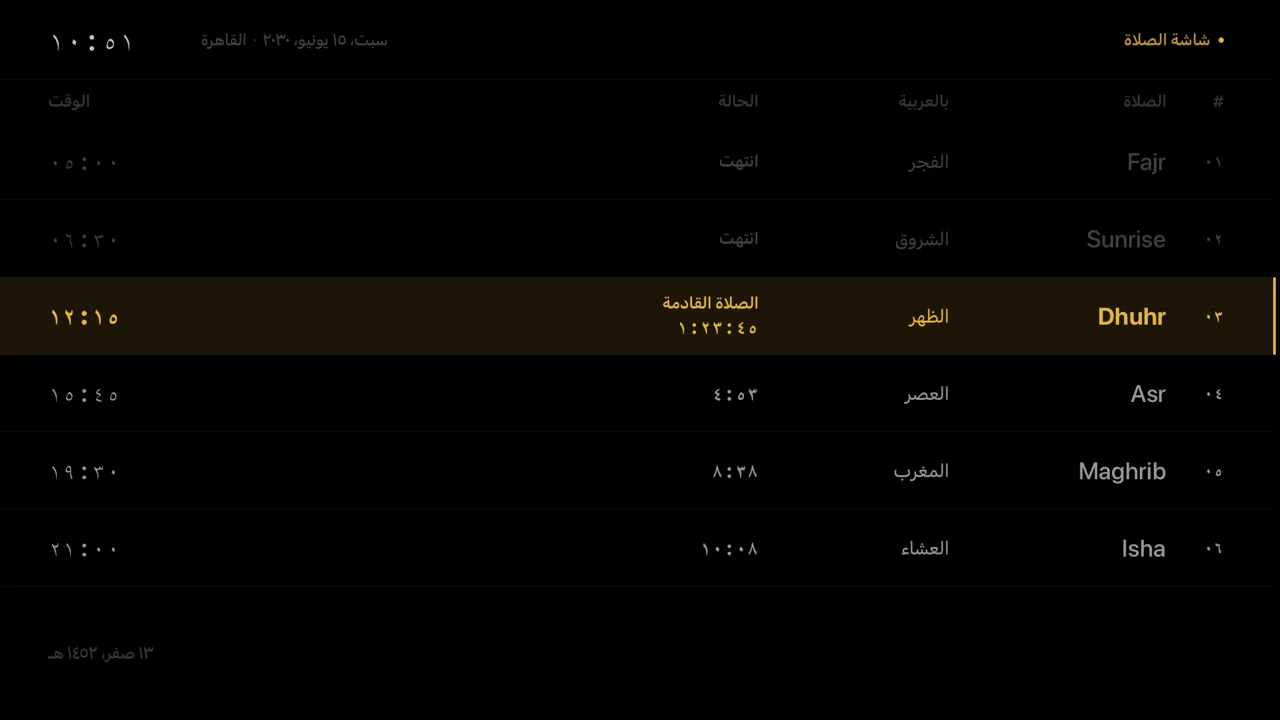
When your Apple TV is in Arabic, the whole Prayer Screen turns to Arabic. The layout reads from right to left, the names and dates are in Arabic, and the numbers use Arabic digits. Timetable and Board show the Arabic name next to the English one in both languages, so a family that speaks both can read it.
Safe to leave on all day
A screen that stays on needs care, so the Prayer Screen does three things for you:
- It keeps the TV awake. While it is open, the Apple TV does not go to its screen saver or to sleep.
- It moves slowly. Every two minutes, the content moves a few points along a small oval. You will not see it, but no pixel holds the same image for hours, which helps protect OLED TVs from burn-in.
- It dims when no one uses it. After ten minutes with no remote press, the screen goes down to 70% brightness. Press any button and it comes back to full.
Free preview and Premium
All six styles are part of Sajdah Premium. Without Premium, you can still open the Prayer Screen and watch a free preview in Horizon, with the real times for your city. Swipe to look at the other styles, and a small chip tells you they are part of Premium. Press Select to see the Premium options, or leave the remote alone and Horizon comes back after 30 seconds.
Premium also adds the Athan in 13 voices at every prayer, so the screen and the call to prayer work together. For everything that came with it, read the Sajdah 1.6.0 release notes. Ideas for a seventh style? Write to me through Sajdah support.