Engineering · Sajdah for Apple TV
Tracing every ayah and word: how Sajdah follows the recitation
Showing the right ayah on a TV while a reciter reads sounds simple. It took nine months, two data sources, a lot of validation, and one rule: if we are not sure, show nothing.
 Abdelrahman Eita · · 7 min read
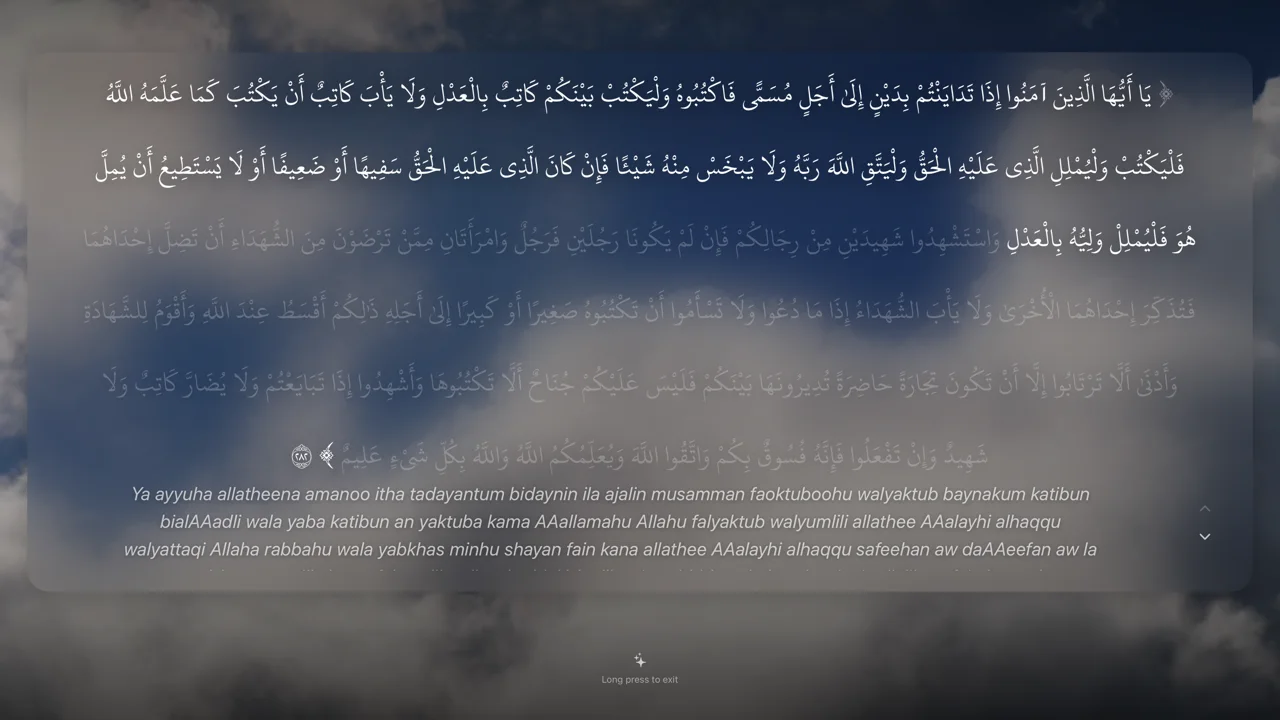
In Sajdah, you pick a reciter and a surah, and the Quran text follows the voice on your TV. The current ayah is on screen, and for some reciters the word being recited lights up in gold. People use it to read along, to memorize, and to understand what they hear.
This post is about how that works, what went wrong on the way, where it stands today, and what I want to improve next.
In short
- The start: verse timing in January 2026, in the app since version 1.2.0
- How it works: time windows, a binary search, and two trusted data sources
- Seven problems we hit, and how we fixed them
- Today: word-by-word on six recordings, verse tracking on many more
- Next: more reciters with forced alignment, and a listening test
Where it started
The first version came in January 2026. It asked the Quran.com audio API for verse timings. A timing is a list of windows: ayah 1 from 0.0 s to 6.2 s, ayah 2 from 6.2 s to 11.8 s, and so on. If no timing came back, the app guessed: it split the audio by the number of words in each ayah.
In February we added a second source, the MP3Quran ayah timing API, and made it the first choice. That version shipped in Sajdah 1.2.0. It worked for the popular reciters. Then people played other reciters, and the problems started.
How it works today
The player builds a timeline for the surah. Each ayah has a start and an end time. Several times per second the player asks one question: "Which window holds the current audio time?" A binary search answers it, so the cost stays small even for Al-Baqara with its 286 ayahs. If the time falls in a short gap between two ayahs, the previous ayah stays on screen, so the text does not flicker.
Word tracking works the same way, one level down. Each word has its own window in the audio. The app looks up the active word by the absolute audio time. That is why seeking, changing the speed, or resuming tomorrow still lands on the right word. The app also sets an exact timer at each word edge, so the gold moves when the reciter moves, not on the next tick.
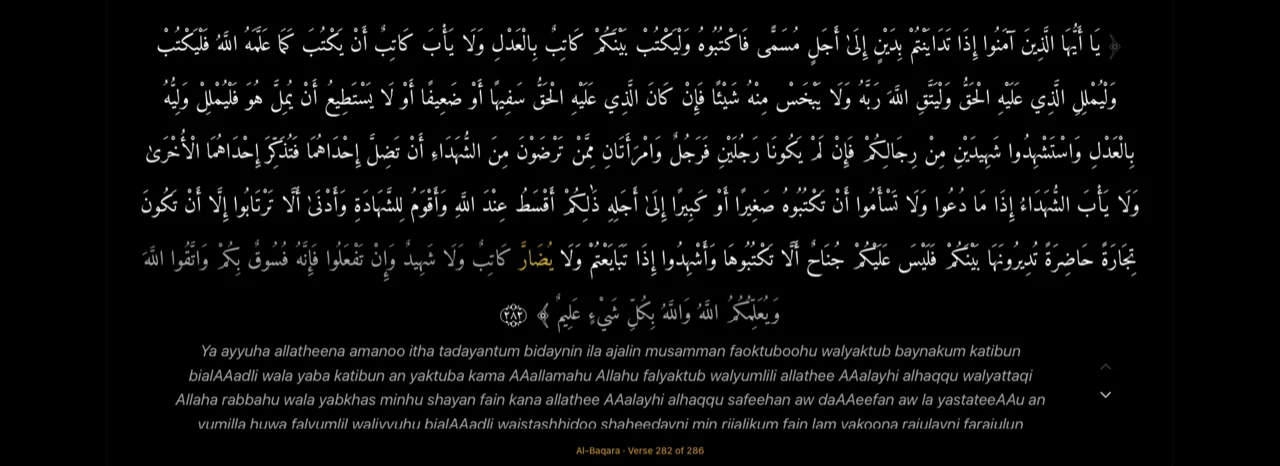
The timing data and the text on screen do not always split words the same way. So the app lines them up with an edit-distance match on normalized Arabic, and keeps the result in a cache. Without the cache, this work ran again on every progress tick.
Only two sources can put synchronized text on screen:
- Bundled word packs from the Qur'anic Universal Audio (QUA) dataset, v3.2.0. They give a window for every word and every ayah. They ship inside the app, and the import script checks a pinned SHA-256 for every source archive.
- MP3Quran ayah timings, after the app checks that they match the exact recording and the text.
The other two sources, the Quran.com timing and the word-count guess, can still help Next and Previous jump to about the right place. They can never show text. If the app has no trusted timing, it plays the audio alone and hides the text, the captions and the ayah controls.
The problems we hit
1. The wrong ayah, from the wrong edition
The Quran is recited in several riwayat (transmissions), such as Hafs, Warsh and Qalun. They count some ayahs differently. In Qalun, Al-An'am has 167 ayahs; in Hafs it has 165. The player put Qalun timings on Hafs text, so the screen showed the wrong ayah. The fix bundled the text for six more riwayat and added a rule: a timing must cover every ayah of the surah, or it is not used. Each non-Hafs recording is now approved by hand before the app trusts it.
2. One reciter's timing for every voice
The first Quran.com request always asked for one reciter, Mishary Alafasy, whatever voice was playing. For other reciters the windows were wrong. Today that source is only a navigation fallback, and the app asks for it only when the main source is missing ayahs.
3. A hand-kept list that went stale
The "with ayah tracking" list in Reciters was typed by hand. Reciters with good timings had no badge, and at one point Mishary himself was missing from it. Now the app finds support by itself, by the exact recording: its ID, its audio folder and its surah list.
4. Reciters who repeat
Many reciters repeat a phrase or a whole ayah. A simple "ayah to window" map breaks there. In At-Takwir (81), Next jumped from the second reading of ayah 17 back to 46.0 s, instead of forward to ayah 18 at 52.2 s. The word packs now store each reading of an ayah as its own occurrence, in time order.
5. Data we had to say no to
For Al-Minshawi's mujawwad recording, strict checks rejected 23 surahs: some words had zero length, and some windows overlapped. We shipped the 91 surahs that passed, not all 114 with errors. Islam Sobhi's pack has 106 surahs for the same kind of reason.
6. The audio moved
On 5 October, MP3Quran moved its recordings to a new CDN. The app matches word packs to the recording by folder, so six reciters lost tracking overnight. We checked that the old links redirect to files with the same ETag and size, so the audio was the same. The fix taught the folder check about both addresses, and the bundled timings stayed as they were.
7. Old answers that arrive late
If you change surah quickly, the answer for the old surah can arrive after the new one. Every request for text, timing and captions now carries a tag, and the player drops answers for a context that is gone. Cancelled requests no longer count as errors.
Next to these, we fixed player bugs that hurt the reading: very long ayahs cut the Arabic text and hid the active word.
Where we are now
Word-by-word highlighting shipped in Sajdah 1.5.0 in October. It covers six recordings, all in Hafs:
- Mishary Alafasy, Saud Al-Shuraim, Mustafa Ismail and Mahmoud Abdul Hakam: all 114 surahs
- Islam Sobhi: 106 surahs
- Al-Minshawi (mujawwad): 91 surahs
Ayah tracking reaches many more recordings through MP3Quran. When we counted on 2 October, 97 of the 242 reciters in the English list had verified ayah timing. You can turn on Ayah Tracking in Reciters to see only them, and each one has a badge.
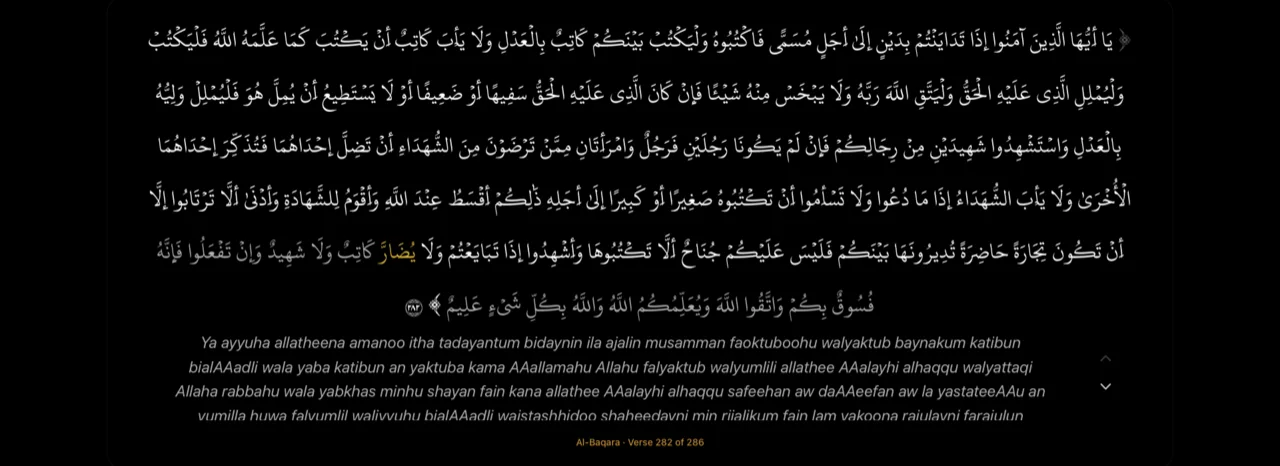
Verse tracking is free. The gold word highlight is part of Sajdah Premium, because today it exists for only six recordings. Pause clears the gold word but keeps the words already recited, so you can find your place again.
What we can improve next
- Word timing for more reciters. The plan is forced alignment: a small acoustic model lines up the known text with the audio. Ayah tracking would come first, and word tracking would turn on only for surahs that pass the same checks as the bundled packs. The hard parts are known: repeated phrases, extra audio such as the isti'adha, the basmala and the takbir, and word edges inside idgham and madd. A first test will use one murattal and one mujawwad reciter.
- A listening test. Every pack passes strict data checks, but nobody has yet listened through the word edges to judge them by ear. That is next.
- Fill the gaps. 23 surahs for Al-Minshawi and 8 for Islam Sobhi have no word timing yet.
- Timings from a CDN. The packs ship inside the app today. Serving them from a CDN would let new reciters arrive without an app update.
- Other riwayat. Warsh, Qalun and the others have ayah tracking only. Word timing for them needs their own text in the alignment step.
The rule stays the same: Sajdah shows synchronized text only when it is sure. A blank card is better than the wrong ayah.
Word timings come from the Qur'anic Universal Audio dataset (v3.2.0, CC BY 4.0), and ayah timings from MP3Quran. Thank you to both projects. If a word or an ayah ever looks out of place, please write to me through Sajdah support with the reciter, the surah and the ayah.