Release notes · Sajdah for Apple TV
Sajdah 1.7.0: prayer times that match your mosque
Choose your city, use the calculation method of your mosque, and move each prayer by a few minutes. The Athan, the Prayer Screen and Top Shelf follow your choices.
 Abdelrahman Eita · · 3 min read
Sajdah (سجدة) 1.7.0 is out for the Quran and Athan app for Apple TV. Many of you asked for one thing: prayer times that match the timetable of your local mosque. This update gives you the settings to do that. Here is everything that changed.
In short
- Choose your city, or keep Automatic
- 15 calculation methods with a preview of today's times
- Standard or Hanafi Asr
- A rule for short summer nights above 48°
- Adjust each prayer up to 30 minutes
- A What's New screen for 1.7
All the new settings are in Settings → Prayer Times. They are part of Sajdah Premium.
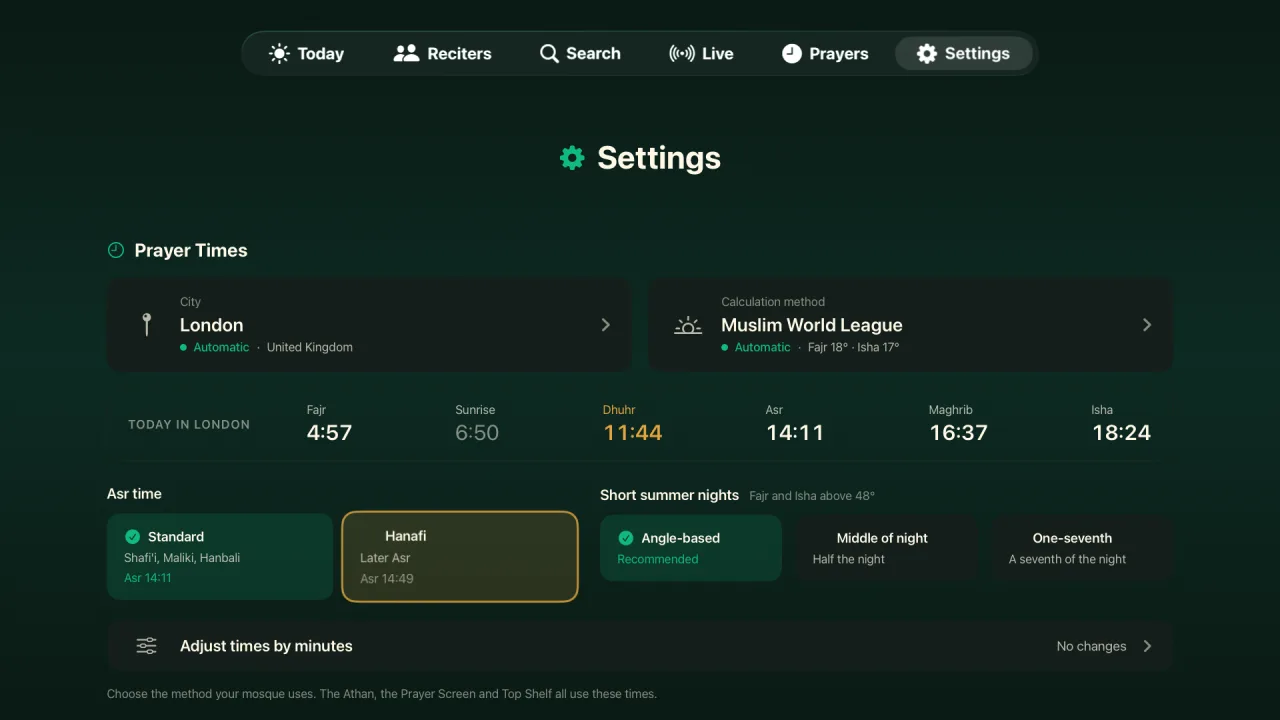
Choose your city
Sajdah used the location of your Apple TV to calculate prayer times. That still works: keep Automatic and nothing changes. You can now also search for any city and use it in place of the TV location. This helps when the TV location is wrong, or when you want the times of a city near you.
The Athan, the Prayer Screen and the Top Shelf times all follow the city that you choose.
Your mosque's calculation method
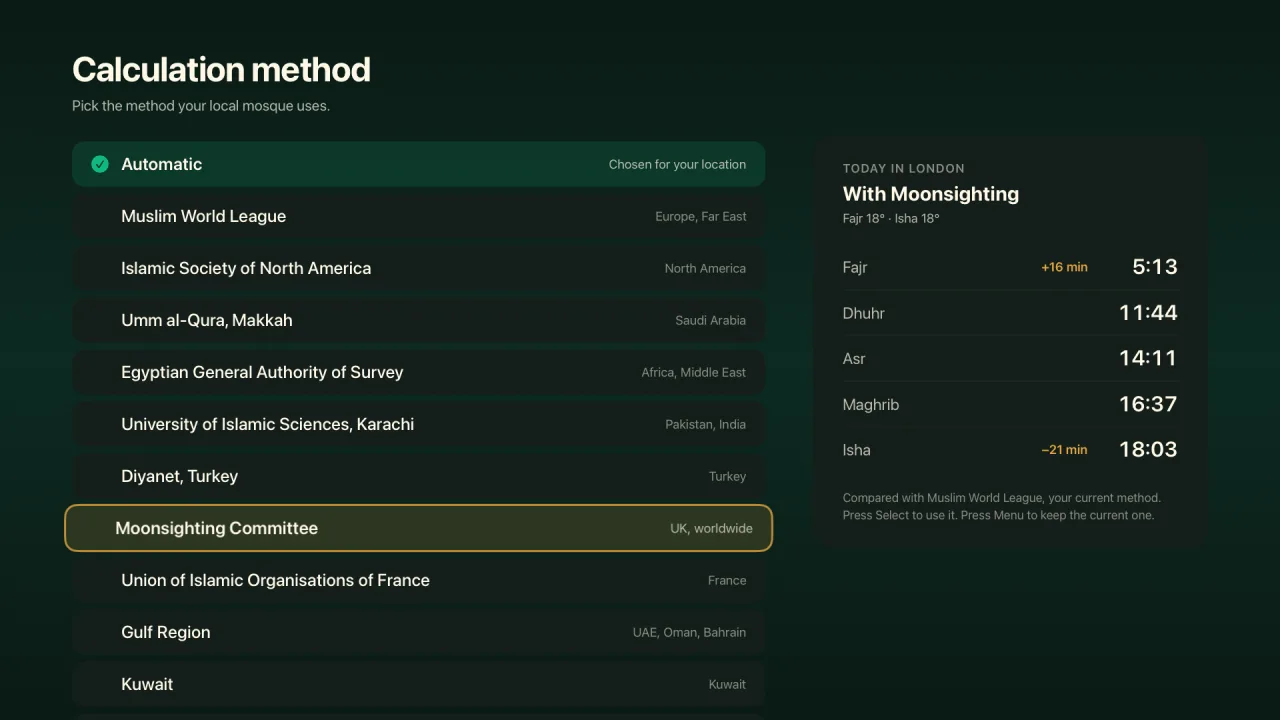
Mosques do not all use the same angles for Fajr and Isha, so two apps can give different times for the same city. In 1.7.0 you can pick one of 15 calculation methods, for example Muslim World League, Umm al-Qura, the Egyptian General Authority of Survey, ISNA, Diyanet and the Moonsighting Committee. Automatic picks a method for your location.
When you move the focus to a method, a panel shows today's times with that method, and how many minutes each prayer moves from your current method. Press Select to use it, or Menu to keep the current one.
Standard or Hanafi Asr
Choose Standard Asr, which the Shafi'i, Maliki and Hanbali schools use, or the later Hanafi Asr. Each choice shows the Asr time that it gives today.
Short summer nights
In cities above 48° latitude, such as London, Paris or Stockholm, the sky does not get fully dark on summer nights. Then the usual angles cannot give a Fajr or Isha time. Choose the rule that your mosque uses for these nights:
- Angle-based, the recommended rule.
- Middle of night, which uses half the night.
- One-seventh, which uses a seventh of the night.
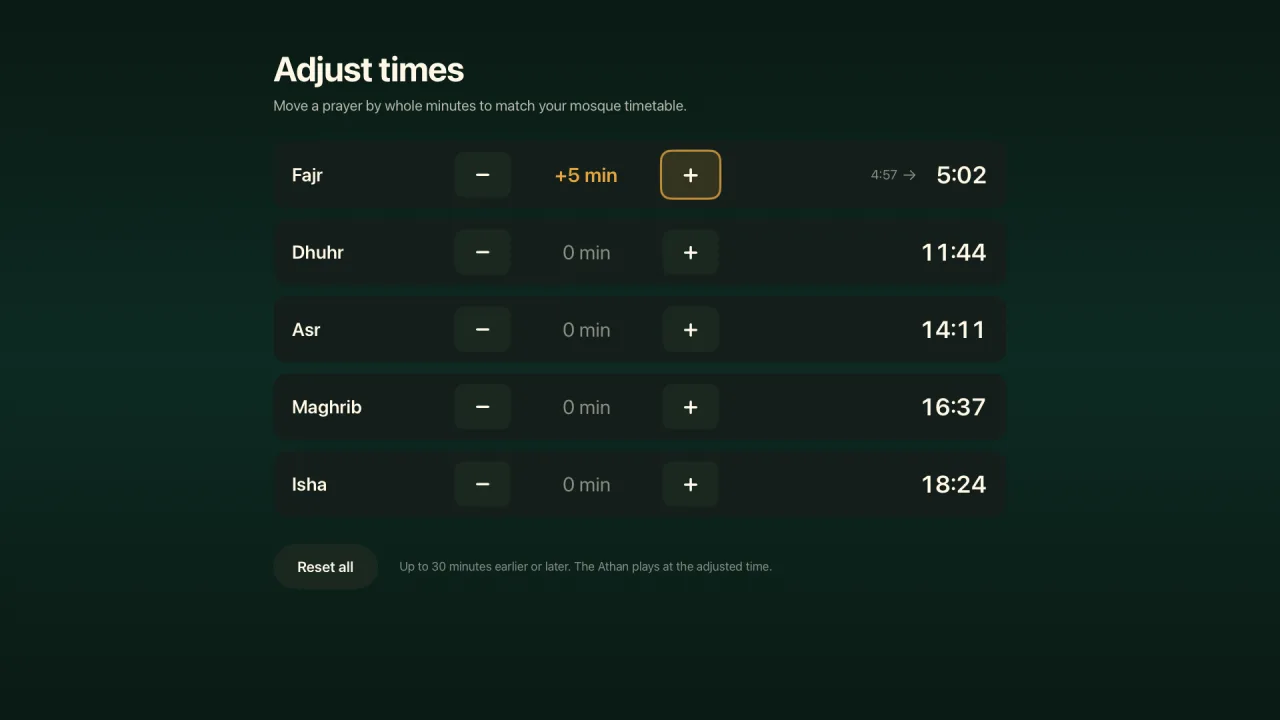
Adjust each prayer by minutes
Some mosques add a few minutes to the calculated times. With Adjust times by minutes, you can move each prayer up to 30 minutes earlier or later, one minute at a time, until Sajdah matches the timetable on your mosque's wall. The Athan plays at the adjusted time. Reset all puts every prayer back to its calculated time.
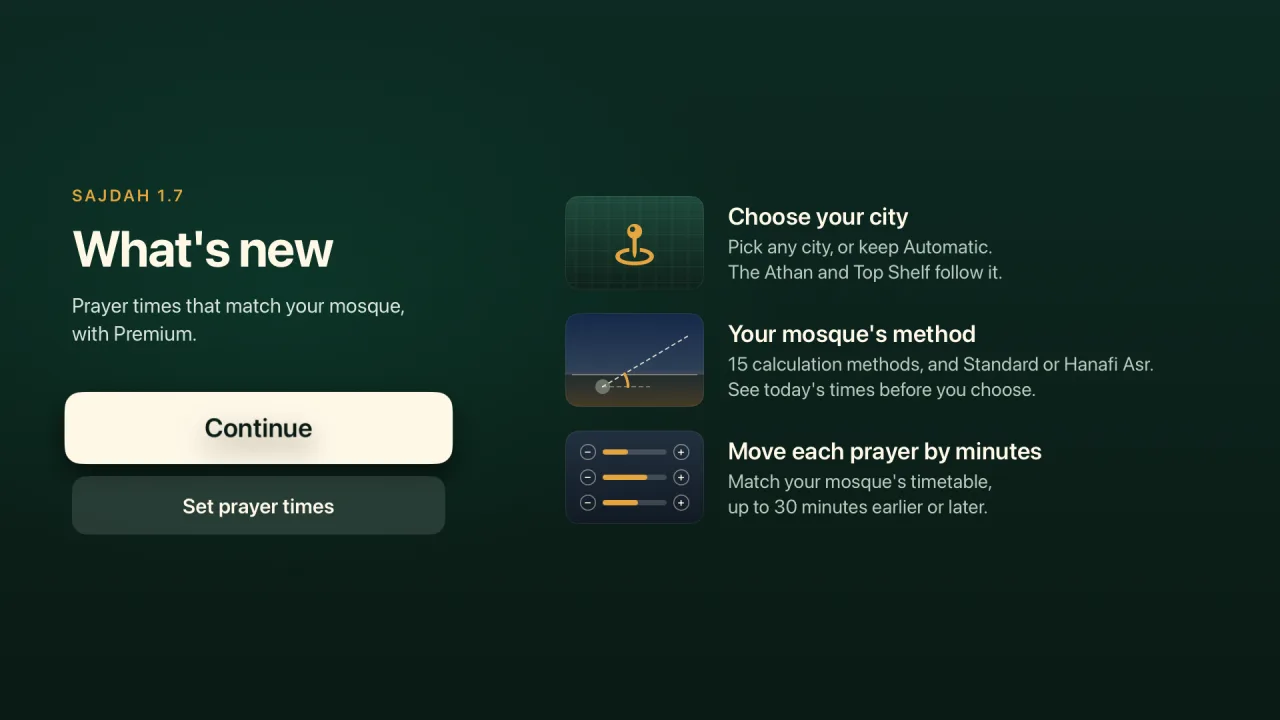
A What's New screen for 1.7
After the update, Sajdah shows a short What's New screen with these changes. Choose Set prayer times to go straight to your city. If you do not have Premium, the same button shows what Premium adds to prayer times.
What is free and what is Premium
Sajdah stays free to download. Quran recitation, verse-by-verse reading, the Today screen with your next prayer time, and the Adhkar are free. Free users keep the default prayer times, and they see the new prayer time settings as locked.
Sajdah Premium adds the new prayer time settings (your city, the calculation method, Hanafi Asr, the short-night rule and the minute adjustments), the Athan in 13 voices, the full prayer schedule and Qibla direction, the Prayer Screen in all 6 styles, Quran radio and live TV, Ambient Quran Mode, memorization tools such as verse repeat, A-B repeat and playback speed, word-by-word highlighting, all translation languages and transliteration, and the extra Quran fonts.
How to update
If automatic app updates are on, your Apple TV installs Sajdah 1.7.0 by itself. You can also open the App Store on your Apple TV, find Sajdah, and choose Update. To see what came before, read the Sajdah 1.6.0 release notes. Does your mosque use a method that is not on the list? Write to me through Sajdah support.